
Compliance
Manual — Energy Management · chapter 8 of 13
The Compliance tab brings together four things the regulation requires and that H2O handles with modules you already use: the legal requirements matrix, the Knowledge Base, Trainings and Audits.Legal requirements
Section titled “Legal requirements”The company needs to know which energy laws apply to it and record whether it complies with them. H2O comes with the requirements of each country ready to load.
- Under Requirements for, check the country and click Load requirements.
- On each requirement, click the pencil.
- Say whether it is applicable and, if so, the status: compliant, partly compliant or non-compliant.
- Record the evidence, the date of the assessment and that of the next assessment.
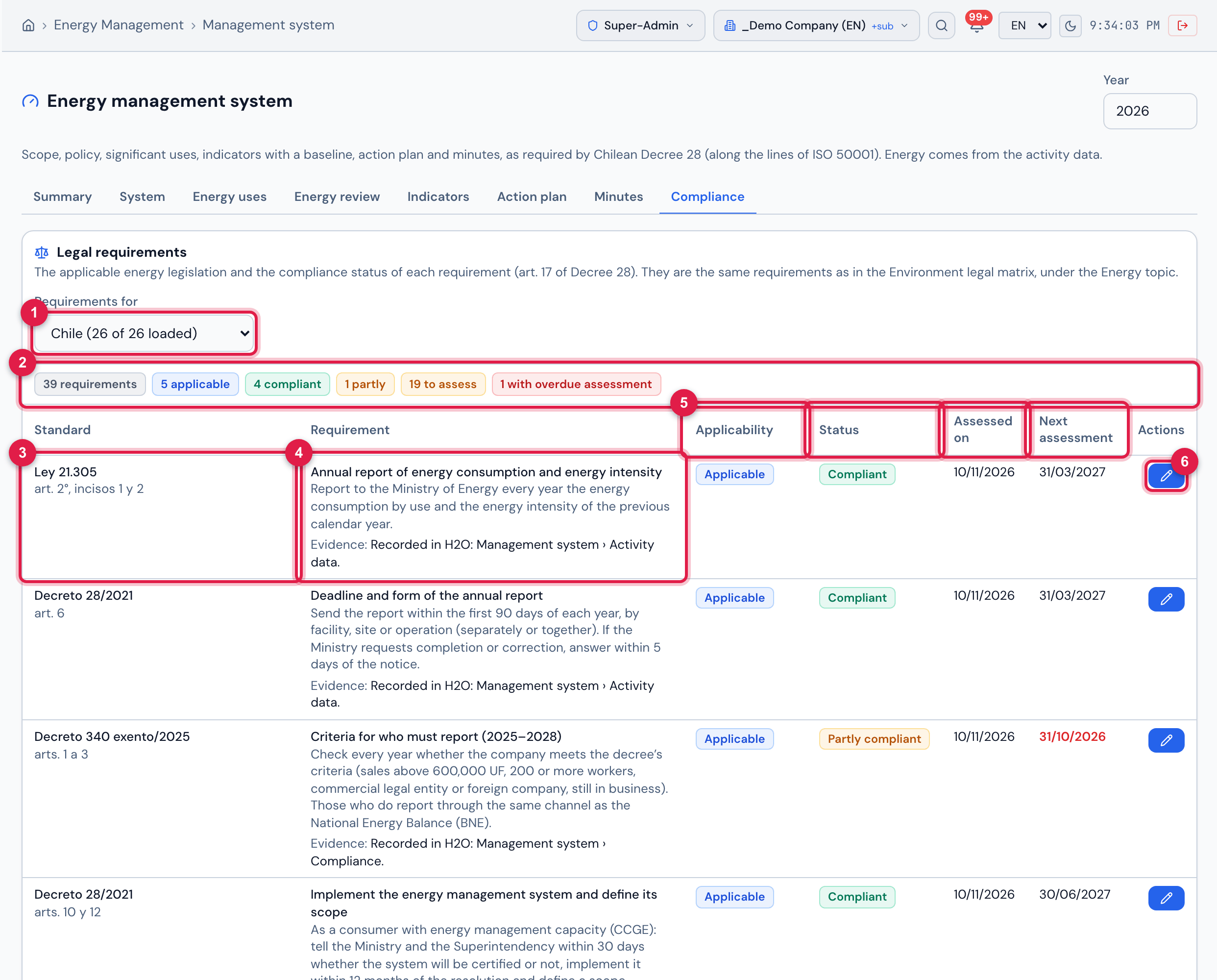
Figure 19. The company’s energy Legal requirements.
- 1The set of requirements by country, with how many are already loaded.
- 2The summary: applicable, compliant, partly, to assess and with overdue assessment.
- 3The Standard and the article.
- 4The requirement and what it demands, with the evidence on record.
- 5Applicability, Status and the dates. An overdue next assessment is shown in red.
- 6The pencil opens the assessment.
System documents
Section titled “System documents”Some items of the regulation are documents the company writes in its own way: the data collection plan, the procurement criteria, the design protocol. They live in the Knowledge Base, which already takes care of approval, revision history and periodic review.
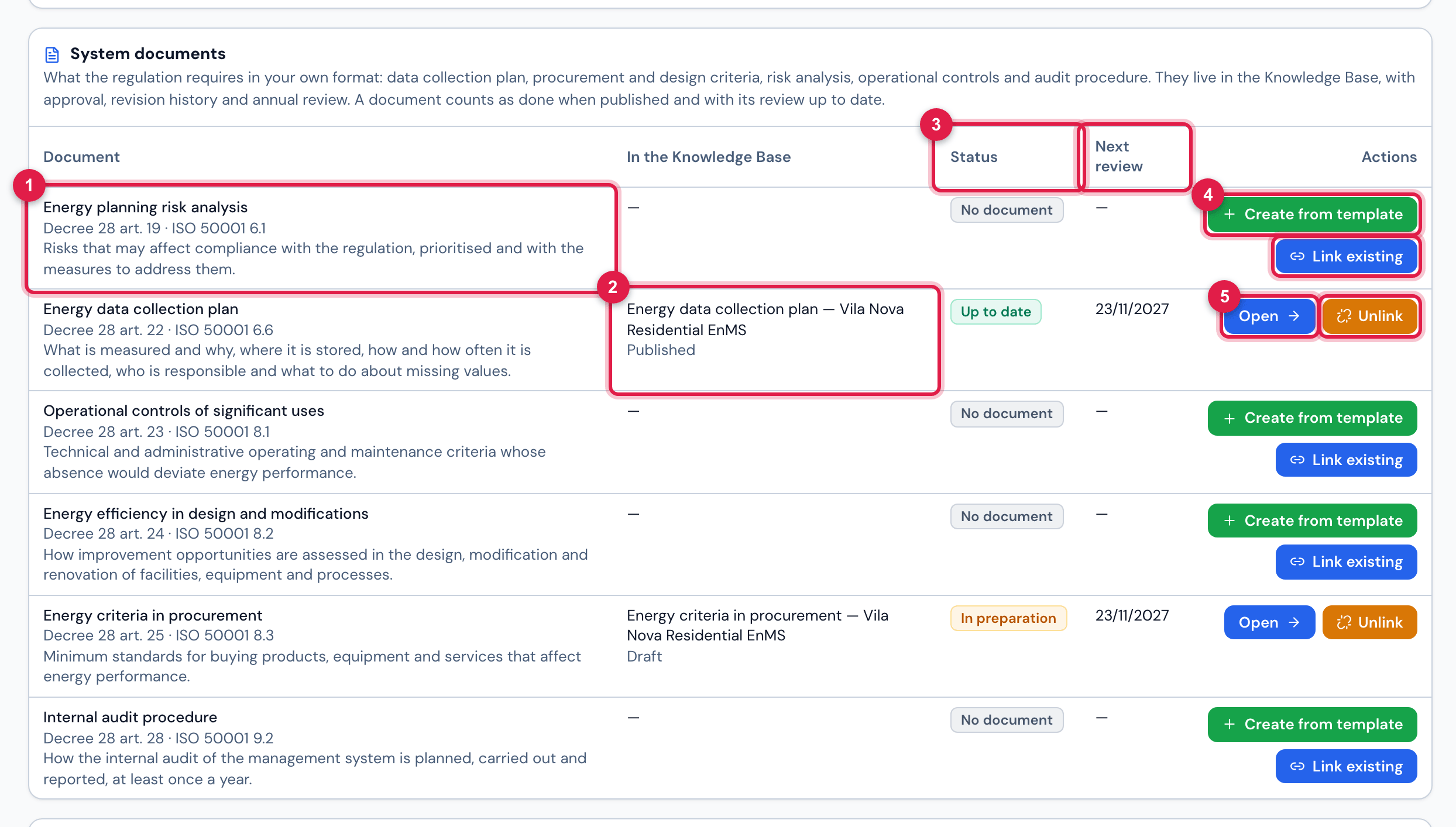
Figure 20. The System documents.
- 1Each document with the reference to the regulation and to ISO 50001.
- 2The linked Knowledge Base article and its status.
- 3The Status and the Next review.
- 4Create from template generates a draft with the sections the article requires; Link existing points to a document the company already has.
- 5Open takes you to the document; Unlink removes the link without deleting the document.
| Document | What it must contain |
|---|---|
| Energy planning risk analysis | the risks to compliance, prioritised, and the measures |
| Energy data collection plan | what is measured, where it is kept, how often, who is responsible and what to do about a missing value |
| Operational controls of significant uses | operation and maintenance criteria for the significant uses |
| Energy efficiency in design and modifications | how opportunities are assessed in design and refurbishment projects |
| Energy criteria in procurement | minimum standards for buying equipment and services |
| Internal audit procedure | how the audit is planned, carried out and reported |
Training and internal audit
Section titled “Training and internal audit”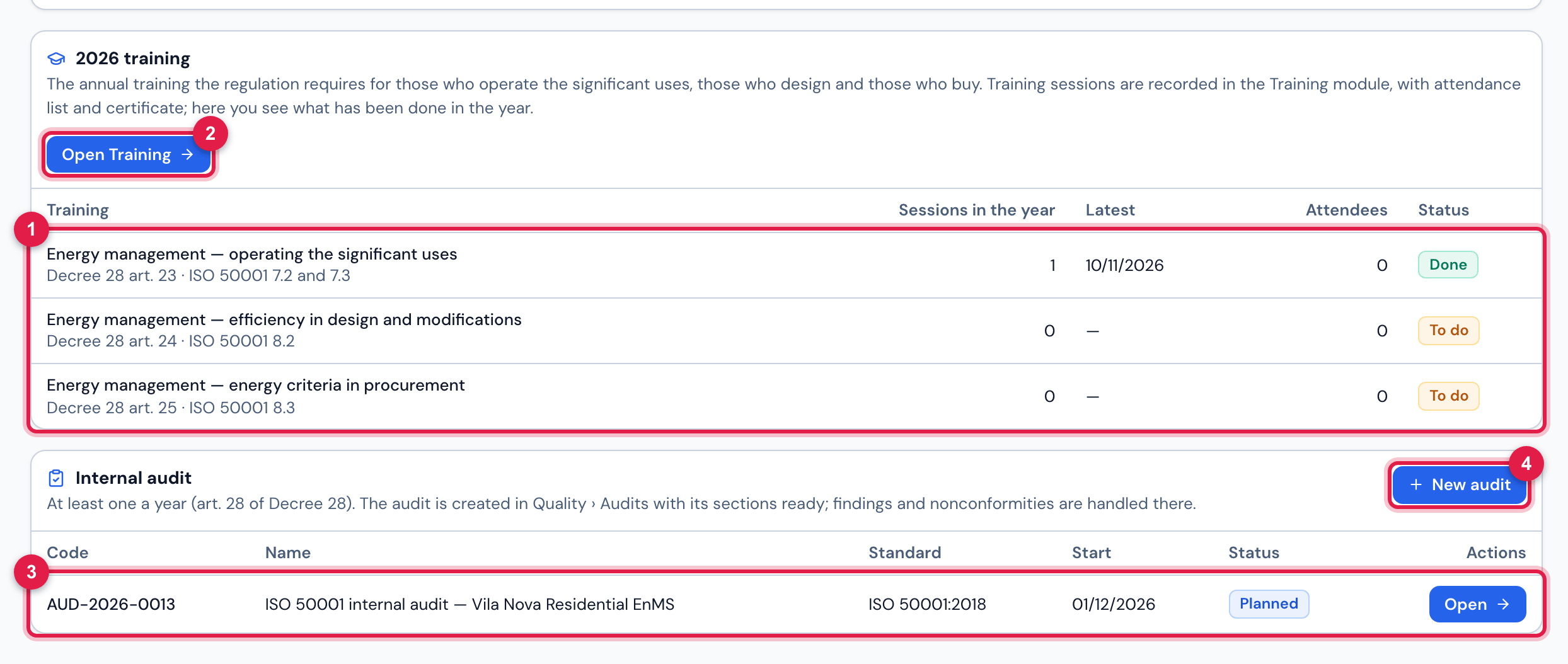
Figure 21. The year’s training and the Internal audit.
- 1The three training topics the regulation requires every year, with the sessions on record and the attendees.
- 2Open Training takes you to the module where the training is recorded, with attendance list and certificate.
- 3The audits created from the energy templates, with the status.
- 4New audit creates the audit with the sections ready.
- The first time, click Create training types: the three types go into the Trainings catalogue.
- Record each training session in Occupational Safety › Trainings, choosing the energy type.
- For the audit, click New audit and choose the Template: ISO 50001 (seven sections, one per clause) or Decree 28 (seventeen, one per article).
- The audit opens in Quality › Audits. Findings and nonconformities are handled there.
The internal audit is annual. The dashboard considers it done when an audit for the year has been Issued or Closed.
Was this page helpful?
Thanks for the feedback!
Got it — we will improve this page.