
Reports and where pending issues appear
Manual — Environment · chapter 9 of 11
- PGRS as PDF (PGRS tab › open the plan › PDF): numbered PGS-YYYY-0001 with the revision, the revision’s frozen inventory and the signature of the person who published, with the technical lead shown.
- DMR (Dashboard and DMR tab › Export DMR (CSV)): spreadsheet of the period for SINIR.
- ESG as spreadsheet and PDF (ESG dashboard › Spreadsheet and PDF (GRI 300)); with the contract filter, the Contract environmental report (A3P/PLS).
- Reports (Overview menu), Reports tab: Environment — Licenses & conditions, Environment — Expirations (licenses, legal obligations and partner licenses expiring in the next 30, 60, 90, 180 or 365 days, and those already expired) and ESG — indicators (GRI 300); the tables export to Excel and PDF.
- Contractor SST oversight (Occupational Safety menu): the contract inspector’s view has an environment block with the licenses (active, expiring, expired) and the pending issues of the contract’s sites — only when the contract has environmental sites registered.
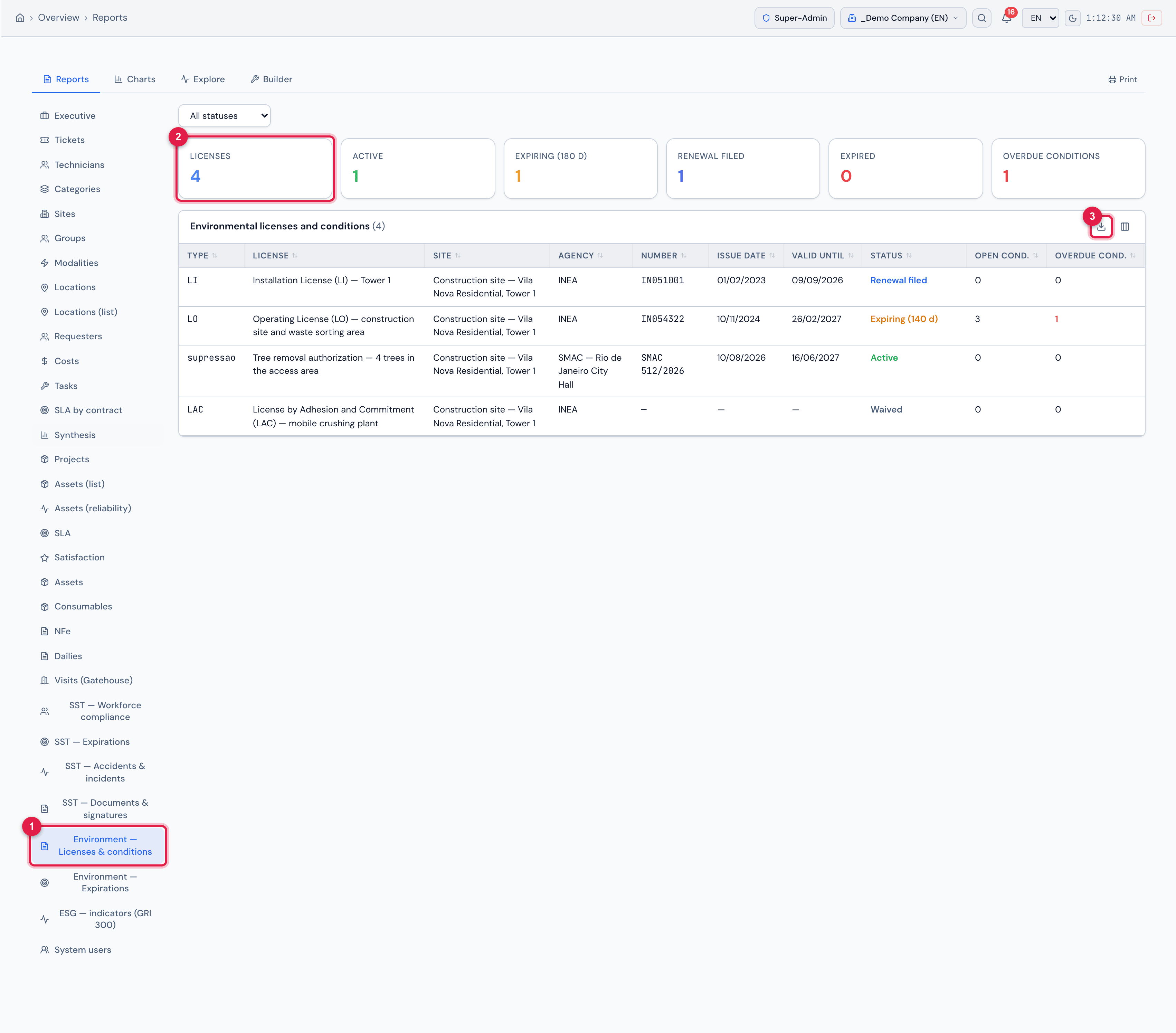
Figure 28. Reports (Overview menu) › Environment — Licenses & conditions: status filter, indicators (4 licenses, 1 active, 1 expiring within 180 days, 1 renewal filed, 0 expired, 1 overdue condition) and the Environmental licenses and conditions table with type, license, site, agency, number, issue date, expiry date, status and open and overdue conditions, exportable to Excel and PDF.
- 1Environment — Licenses & conditions item in the list of reports.
- 2Indicators (here, Licenses).
- 3Export the table (Excel or PDF).
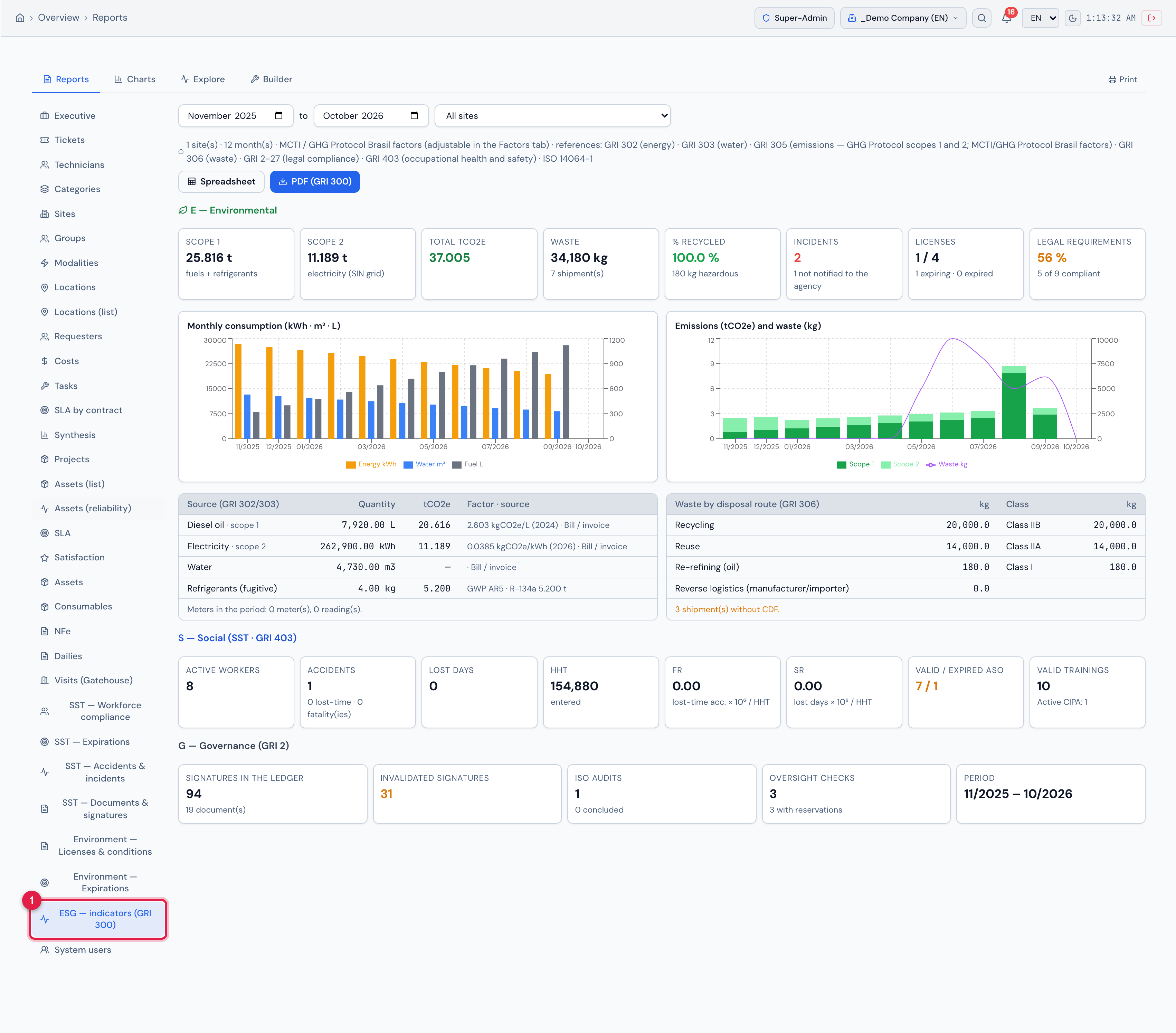
Figure 29. Reports › ESG — indicators (GRI 300): the same dashboard as the ESG screen (E, S and G, charts and tables, with Spreadsheet and PDF (GRI 300)), with period and site, inside the reports.
- 1ESG — indicators (GRI 300) item in the list of reports.
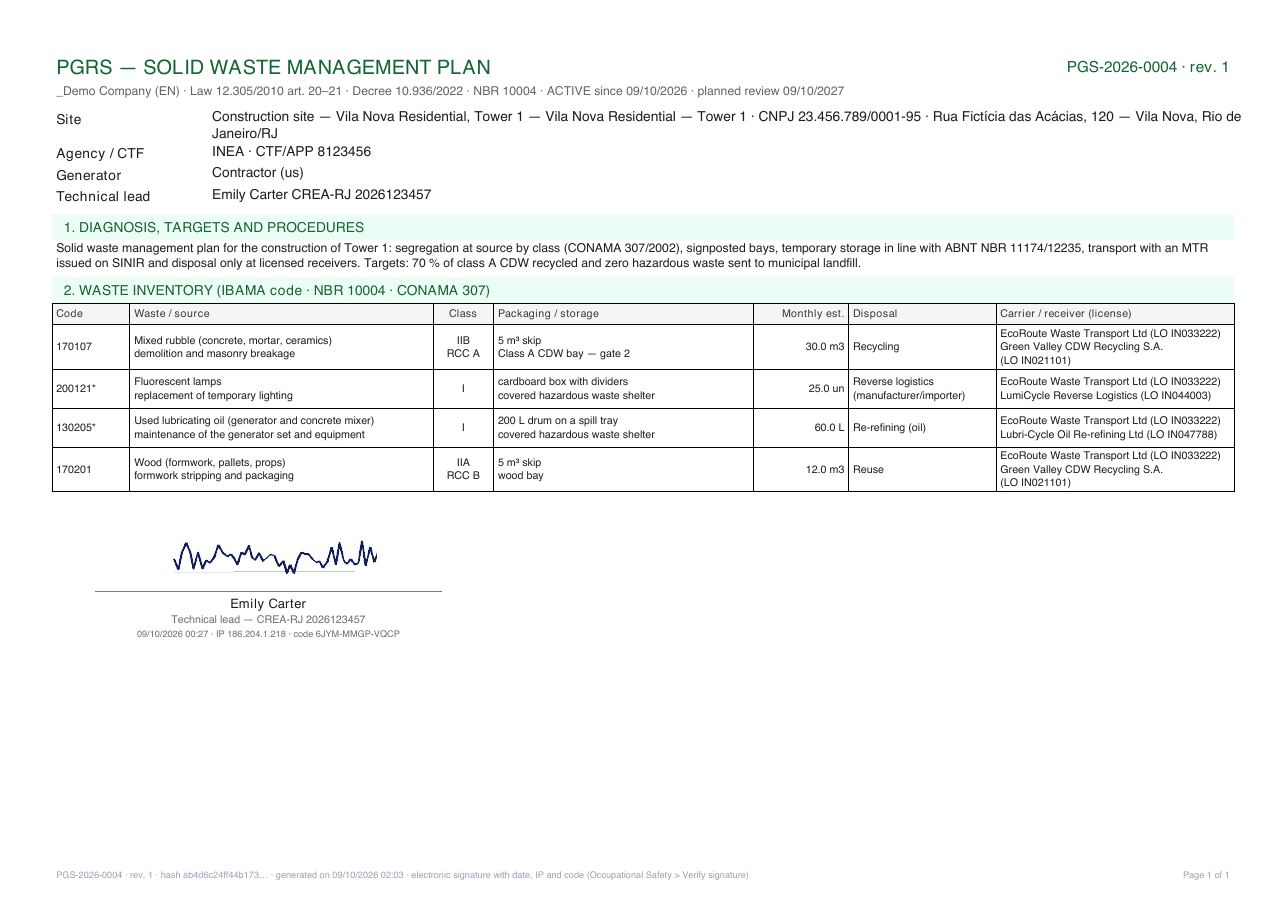
Figure 30. PGRS as PDF — PGS-2026-0004 · rev. 1, active since 09/10/2026: legal header with number, revision and planned review, site data (agency, CTF, generator, technical lead), diagnosis and targets, inventory by code/class/packaging/disposal with the partners and their licenses, and the signature of the person who published (name, date, IP and code) with the technical lead and registration right below — when the publisher is not the technical lead, both names appear.
Was this page helpful?
Thanks for the feedback!
Got it — we will improve this page.