
Prerequisites: calendar, plans and assets
Manual — Automatic Scheduling · chapter 2 of 8
Before creating the schedule, four things must exist: the right site in the header, the assets registered, the plans (task templates with a periodicity) and a calendar.| What | Where | Why |
|---|---|---|
| Site in the header | site selector at the top of the screen (Companies and hierarchy manual) | the schedule and all generated tickets are born in the site active at the moment of generating. The wizard lists the assets of that site and of the sites below it. |
| Assets | Assets menu, one family per type — UPS, Generator sets, Air conditioning, Switchboards… (Assets manual) | the wizard picks the assets by Asset Type. The asset’s location and priority go to the ticket. |
| Plans | Knowledge › Templates | only templates with Periodicity filled in enter the schedule (below). |
| Calendar | Configuration › Calendars | required in the wizard: it says which days are working days. |
Plans: templates with a periodicity
Section titled “Plans: templates with a periodicity”A plan is a task template (Knowledge › Templates) that says what to do — the checklist the technician answers — and how often. What the schedule reads from the template:
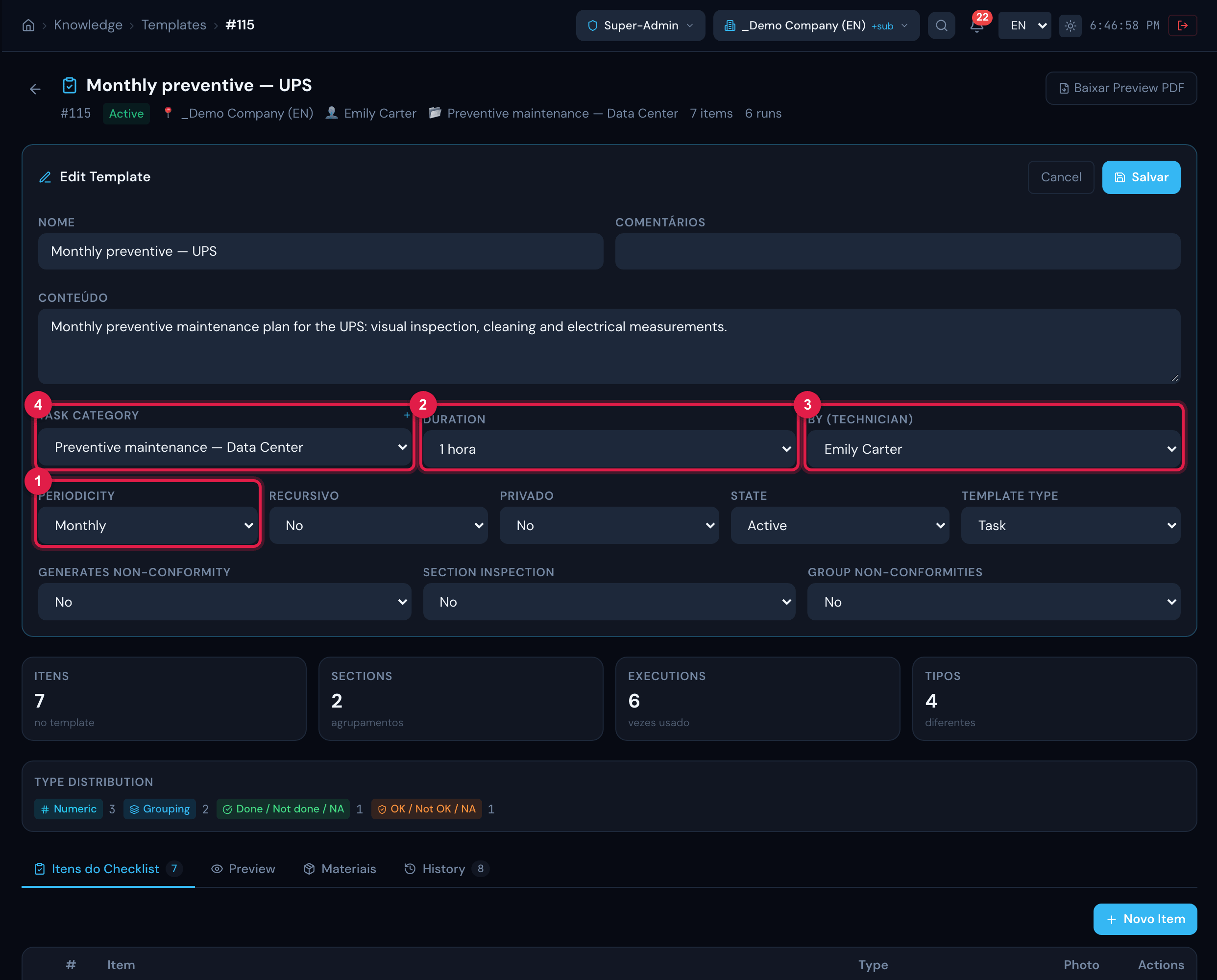
Figure 2. Resources › Templates › the template “Monthly preventive — UPS” being edited: Periodicity, Duration, By (Technician) and the task category.
- 1Periodicity — without it, the template does not appear in the wizard.
- 2Duration — becomes the planned hours and the end of the task. Empty, H2O assumes 30 min.
- 3By (Technician) — the technician, who goes to the task of each generated ticket.
- 4The template’s task category — goes to the task of the generated ticket (the ticket itself is born without a category).
| Periodicity | Interval between visits | Recommended preferred day |
|---|---|---|
| Daily | 1 calendar day | Day of week |
| Weekly | 7 days | Day of week |
| Biweekly | 14 days | Day of week |
| Monthly | 1 month | Day of month |
| Bimonthly | 2 months | Day of month |
| Quarterly | 3 months | Day of month |
| Semi-annual | 6 months | Day of month |
| Annual | 1 year | Day of month |
| Custom | the number of days in Every how many days? | Day of week if under 28 days; Day of month above that |
- The periodicity is stored in Portuguese in the template, whatever the screen language; the wizard shows the translated label.
- System rule for Daily: the periodicity counts calendar days, Saturdays and Sundays included; the Saturday ticket goes to Friday and the Sunday one to Monday (nearest working day). With a non-working weekend, Fridays and Mondays get two tickets. There is no “working days only” option for this periodicity.
- The checklist is not copied to the ticket: the task points to the template and reads the items at execution time. If you change the template’s checklist, the tickets not yet executed already use the new version.
Calendar: working days and holidays
Section titled “Calendar: working days and holidays”The calendar says when the company works: the hours of each day of the week and the list of holidays. The schedule uses only two things from it: which days of the week have working hours and which dates are holidays.
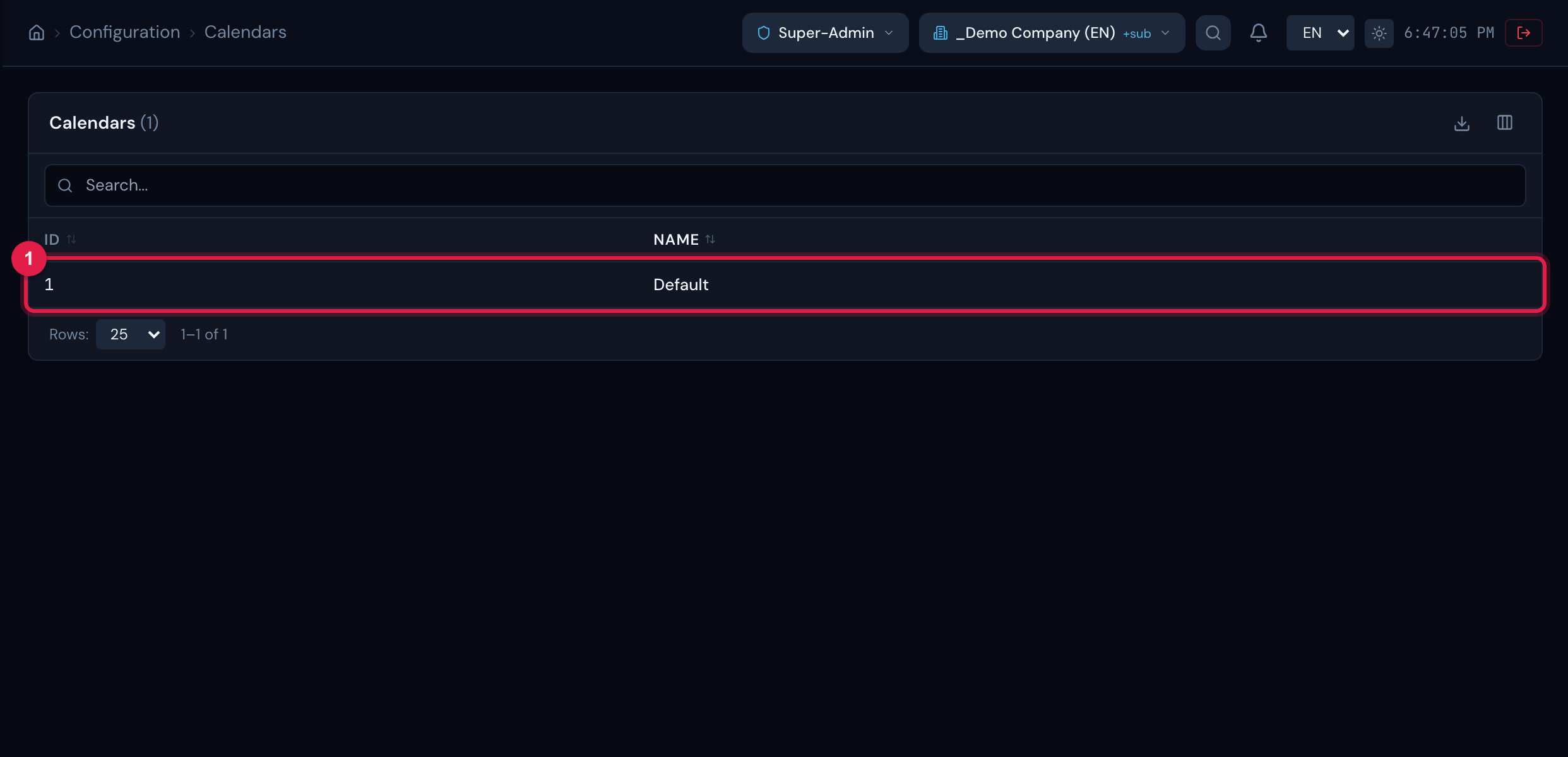
Figure 3. Configuration › Calendars: the list of the company’s calendars — this is the name that appears in the wizard’s Calendar field.
- 1A calendar. The list shows only ID and Name; hours and holidays are not shown here.
- A working day is a day of the week with at least one time range in the calendar and that is not a holiday. A calendar with no hours registered at all is treated as Monday to Friday.
- A perpetual holiday applies every year on the same day and month; an ordinary holiday applies only on the registered dates.
- A date that falls on a non-working day goes to the nearest working day: H2O tries the previous day first, then the next, then two days before, two after, and so on up to 7 days. With Saturday and Sunday as non-working days, a Saturday preventive goes to Friday and a Sunday one goes to Monday — in this manual’s example, 10 Jan 2027 (Sunday) became 11 Jan.
- The calendar is also used by the SLA and by Maintenance Plans; the details are in the Locations and calendars manual.
Was this page helpful?
Thanks for the feedback!
Got it — we will improve this page.