
Preparing the suppliers
Manual — Purchasing: orders, quotations and accounts payable · chapter 2 of 9
The quotation suggests suppliers from two pieces of information on the record: whether the supplier is Eligible for quotation and which material families they supply. It is worth preparing the records once; after that the choice is quick. The full registration is in the manual Suppliers, contacts and workforce.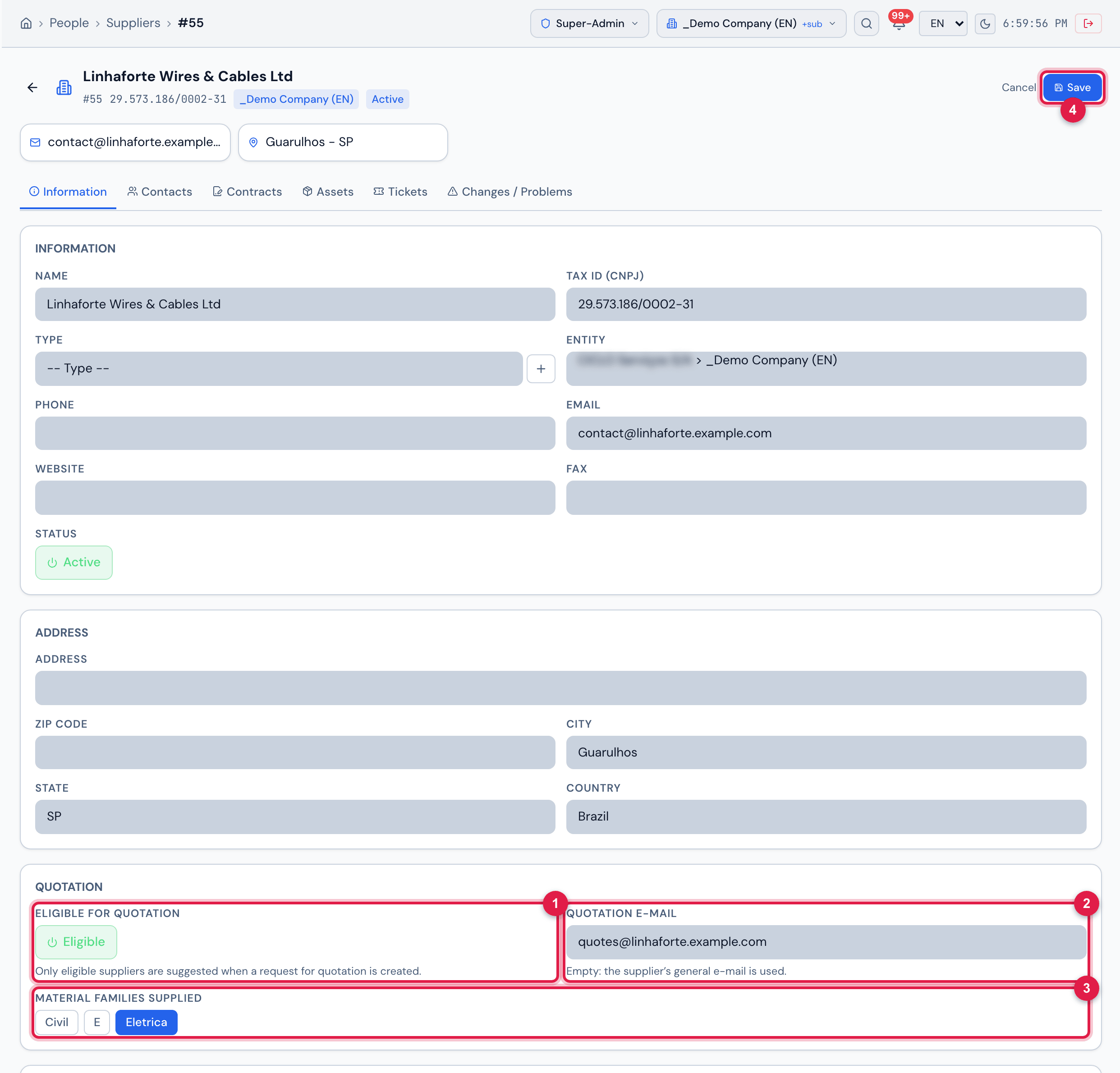
Figure 3. A supplier record being edited: the Quotation section comes after the address.
- 1Eligible for quotation — click to turn it on or off.
- 2Quotation e-mail — where the request for quotation is sent.
- 3Material families supplied — click each family; the selected ones turn blue.
- 4Save.
- Open People › Suppliers and click the supplier.
- Click Edit.
- In the Quotation section, turn on Eligible for quotation.
- Fill in the Quotation e-mail. If it is left empty, the request for quotation goes to the supplier’s general e-mail.
- Under Material families supplied, select the families.
- Click Save.
- The families are the warehouse material types: there is no new registration. If none appears, no material type has been registered yet.
- Only eligible suppliers are offered for selection in the quotation. Among them, H2O marks as suggested whoever supplies the family of some material in the quotation.
- An eligible supplier with no family selected is not suggested, but can be chosen by hand.
- A change to the families is recorded in the supplier’s history.
Finding the eligible ones in the list
Section titled “Finding the eligible ones in the list”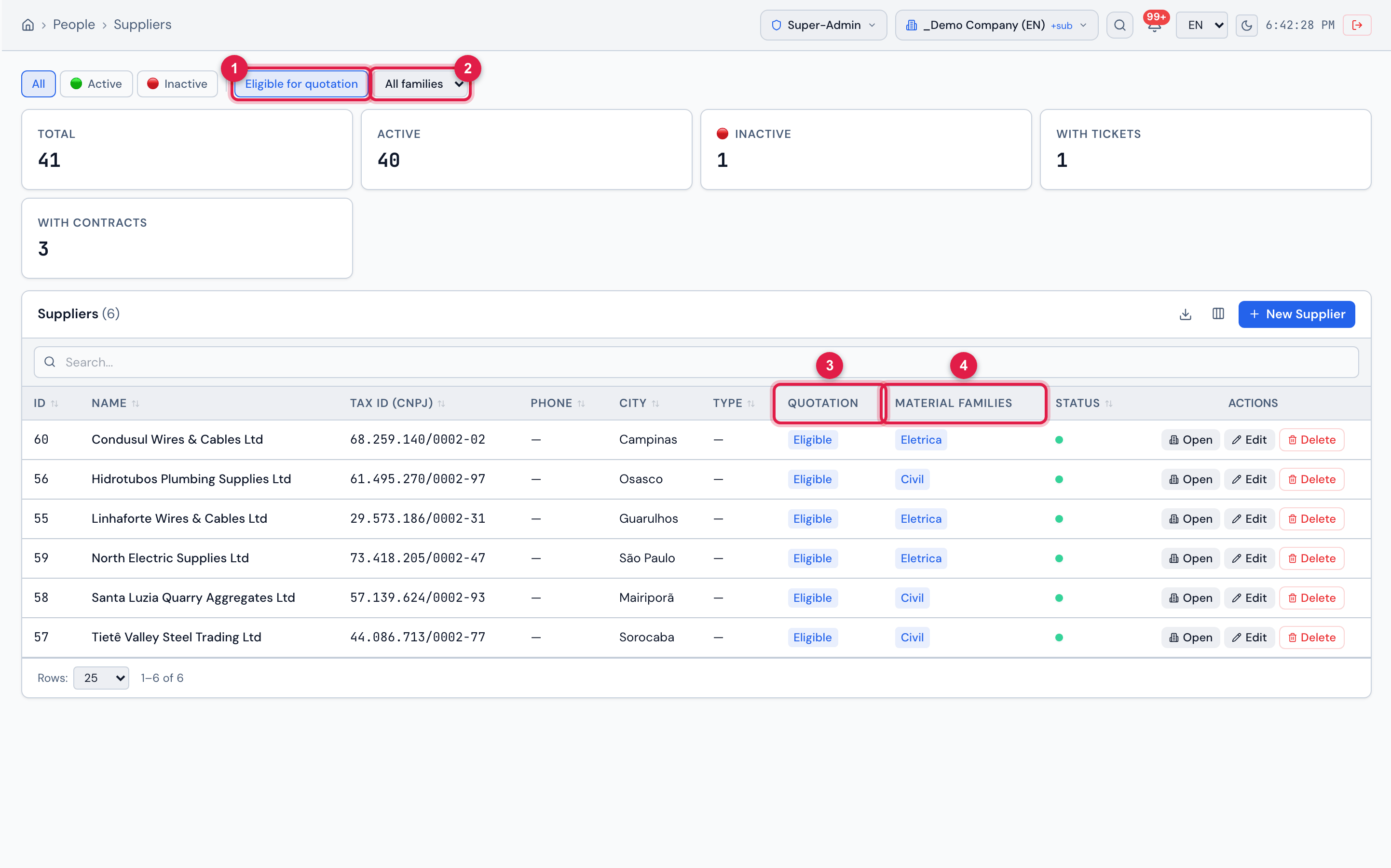
Figure 4. The supplier list with the Eligible for quotation filter on.
- 1Eligible for quotation — shows only the eligible ones.
- 2The family filter (All families).
- 3The Quotation column, with the Eligible badge.
- 4The Material families column.
The two filters combine with each other and with Active and Inactive. Use them to check, before a quotation, who supplies the family you are about to buy.
A supplier that is not registered yet
Section titled “A supplier that is not registered yet”You do not need to register the supplier before asking for a price: the quotation accepts an invitation with just the e-mail (chapter 6). When that supplier answers, H2O adds them to the records, already Eligible for quotation, with the company name and tax ID they entered.
The purchase order also accepts a supplier by name only. In the order list and record they appear with the not registered badge.
Was this page helpful?
Thanks for the feedback!
Got it — we will improve this page.