
Report a deviation from an inspection
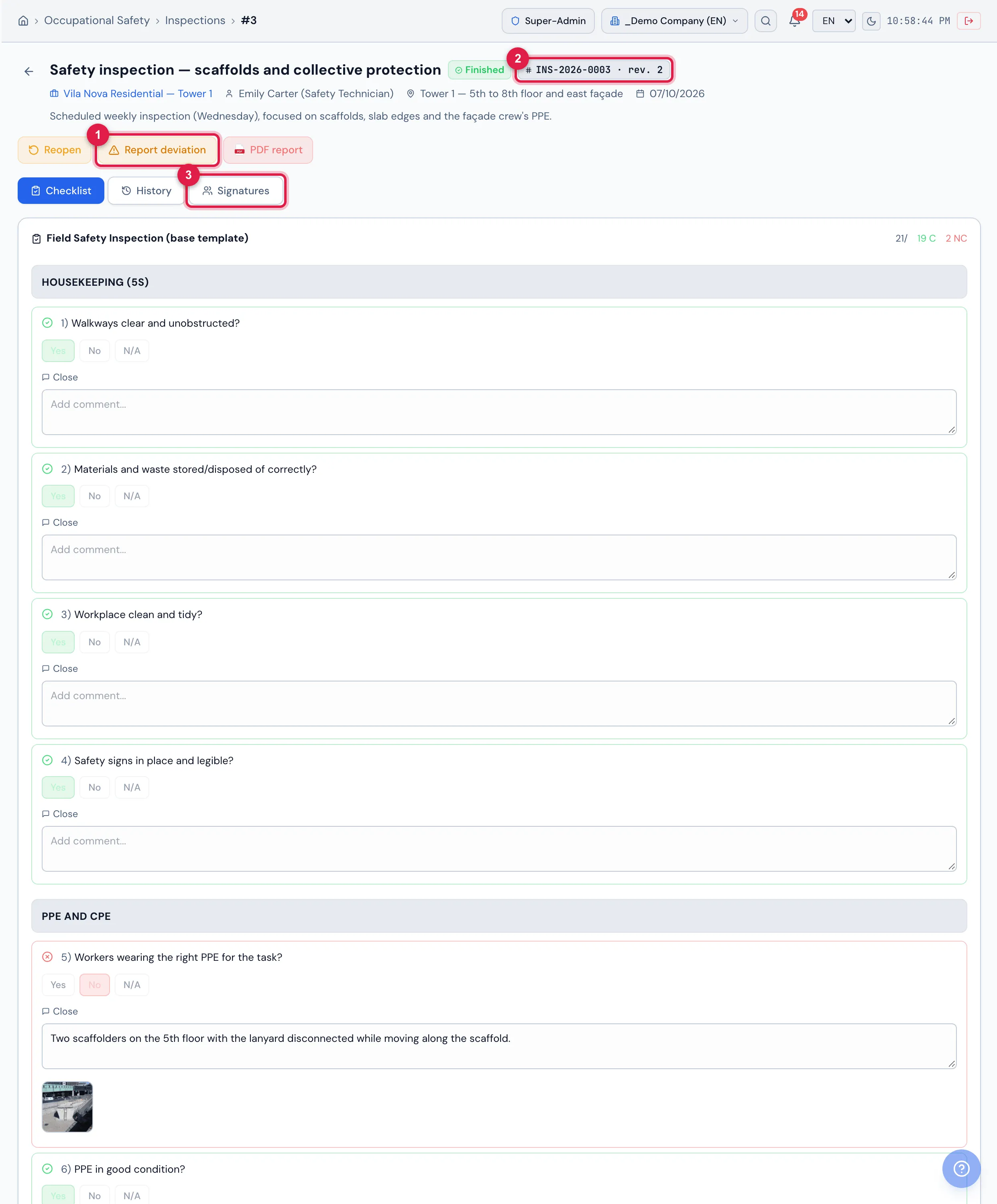
When the inspector marks an item as Non-compliant, that item can become a deviation: an Occupational Safety ticket with a class and a level, which keeps track of the inspection it came from.
You need: the Inspections right and also the Deviations right in your profile.
- Open Occupational Safety › Inspections and go into the inspection.
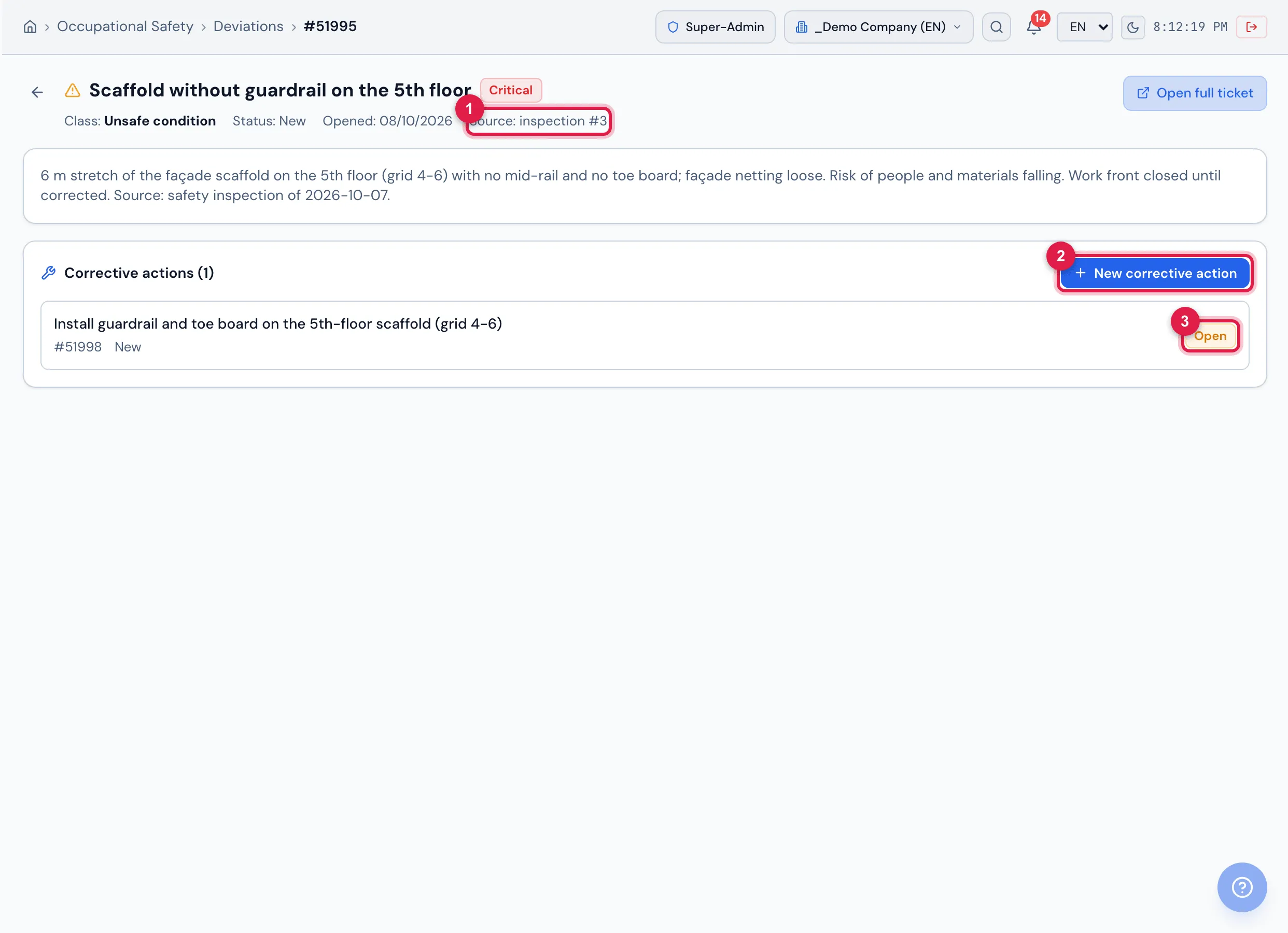
- Click Report deviation. The deviation opens with its source already set (inspection #).
- Fill in the title, description, class (Unsafe act, Unsafe condition, Environmental, Quality, Housekeeping) and level (Low, Medium, High, Critical). The level becomes the ticket priority.
- Save. To handle it, open the deviation in Deviations and use New corrective action: each action is a child ticket with an owner.
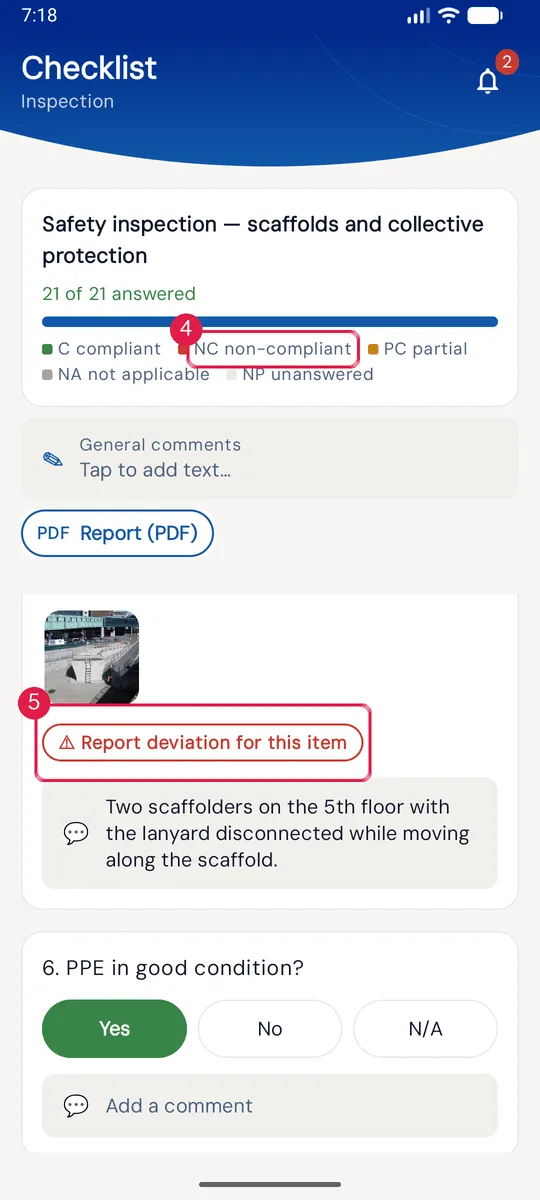
- Open the inspection and its Checklist.
- On the item answered No (NC), tap ⚠ Report deviation for this item.
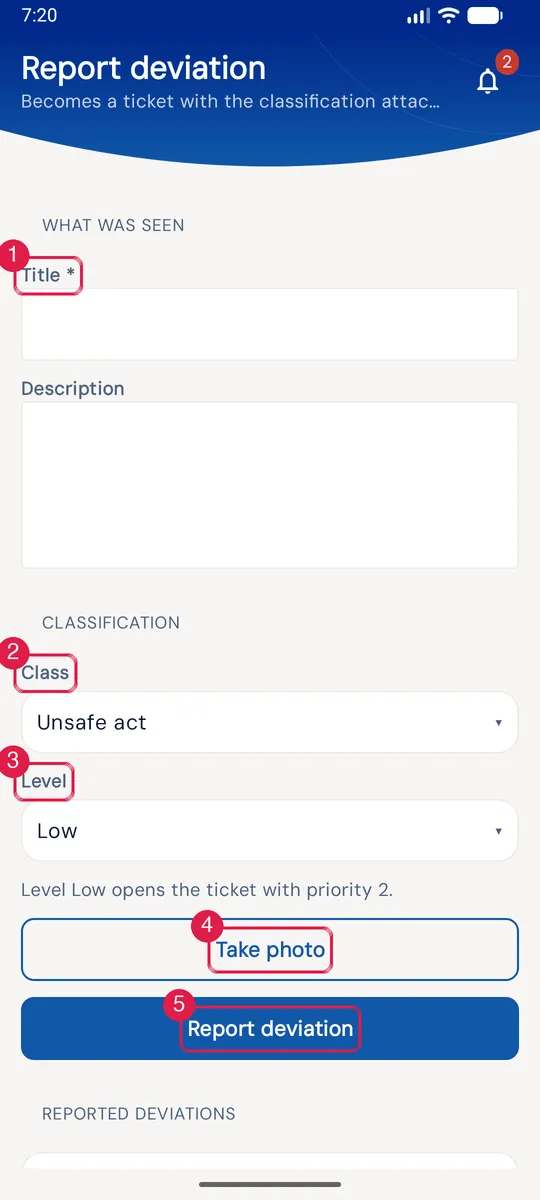
- Fill in the Title (required), description, Class and Level; optionally Take photo.
- Tap Report deviation. Without internet, it stays Waiting to be sent and goes up on its own when the connection is back.
Was this page helpful?
Thanks for the feedback!
Got it — we will improve this page.