
Overview: supplier, contact and workforce
Manual — Suppliers, contacts and workforce · chapter 1 of 8
Three registers of the People menu describe who works with you besides the H2O users:| Register | What it is | Where it is used |
|---|---|---|
| Suppliers | The companies you work with: subcontractors, service providers, manufacturers, distributors. The supplier does not log in to H2O. | Project team and daily report workforce, tickets, contracts, asset management of assets, invoices, SST workers, NCR. |
| Contacts | The people of those companies — the foreman, the sales rep, the on-call technician. A contact is not a user: it has no login. | On the supplier record and in the project team. |
| Workforce | The site’s job roles (Bricklayer, Electrician, Foreman, Engineer…), each one Direct or Indirect. | In the workforce of the daily report (web and app) and as the worker’s Job role in SST. |
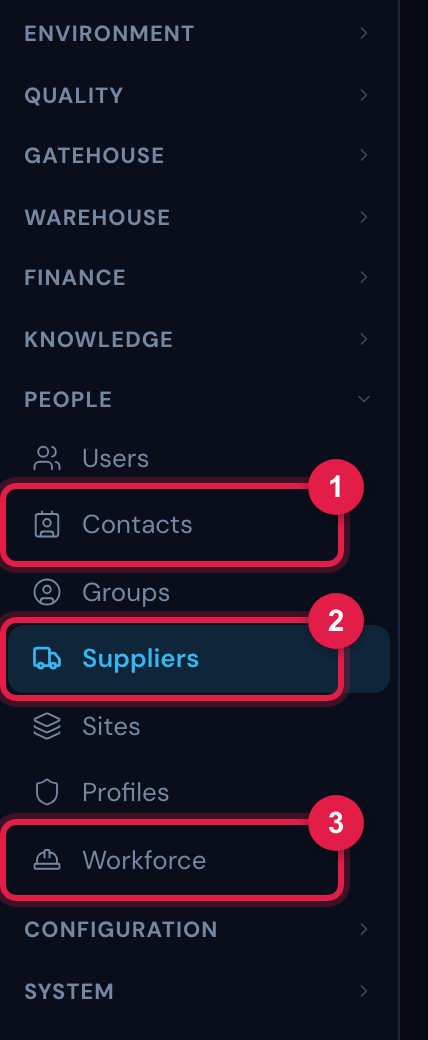
Figure 1. The People section of the menu: Users, Contacts, Groups, Suppliers, Sites, Profiles and Workforce. Each item only appears for whoever has its right.
- 1Contacts.
- 2Suppliers.
- 3Workforce.
The three follow the site selected in the header (see The main screen in the Getting started — web manual): the list shows the records of the site (and of the sub-sites, with Site + sub-sites on), and what you register is created in the selected site. Suppliers also have top-down inheritance, the inherited ones (chapter 2).
Access rights
Section titled “Access rights”| Screen | Right in the profile (People › Profiles › Permissions) | Levels |
|---|---|---|
| Suppliers and Contacts | Contacts / Suppliers (People group) — a single right for both screens | Read (see lists and records), Create (New Supplier, New Contact, create type), Edit (change, link and unlink contacts and contracts), Trash (delete) |
| Workforce | Daily Reports (Operations group) | Read (see), Create (New job role), Edit (change the row), Trash (remove) |
Was this page helpful?
Thanks for the feedback!
Got it — we will improve this page.