
Projects report
Manual — Projects · chapter 12 of 13
For a view of all the projects with their progress side by side — for the site meeting, for the client, for the board —, use Overview › Reports, Reports tab, Projects item in the sidebar. The menu requires the Reports right in the profile.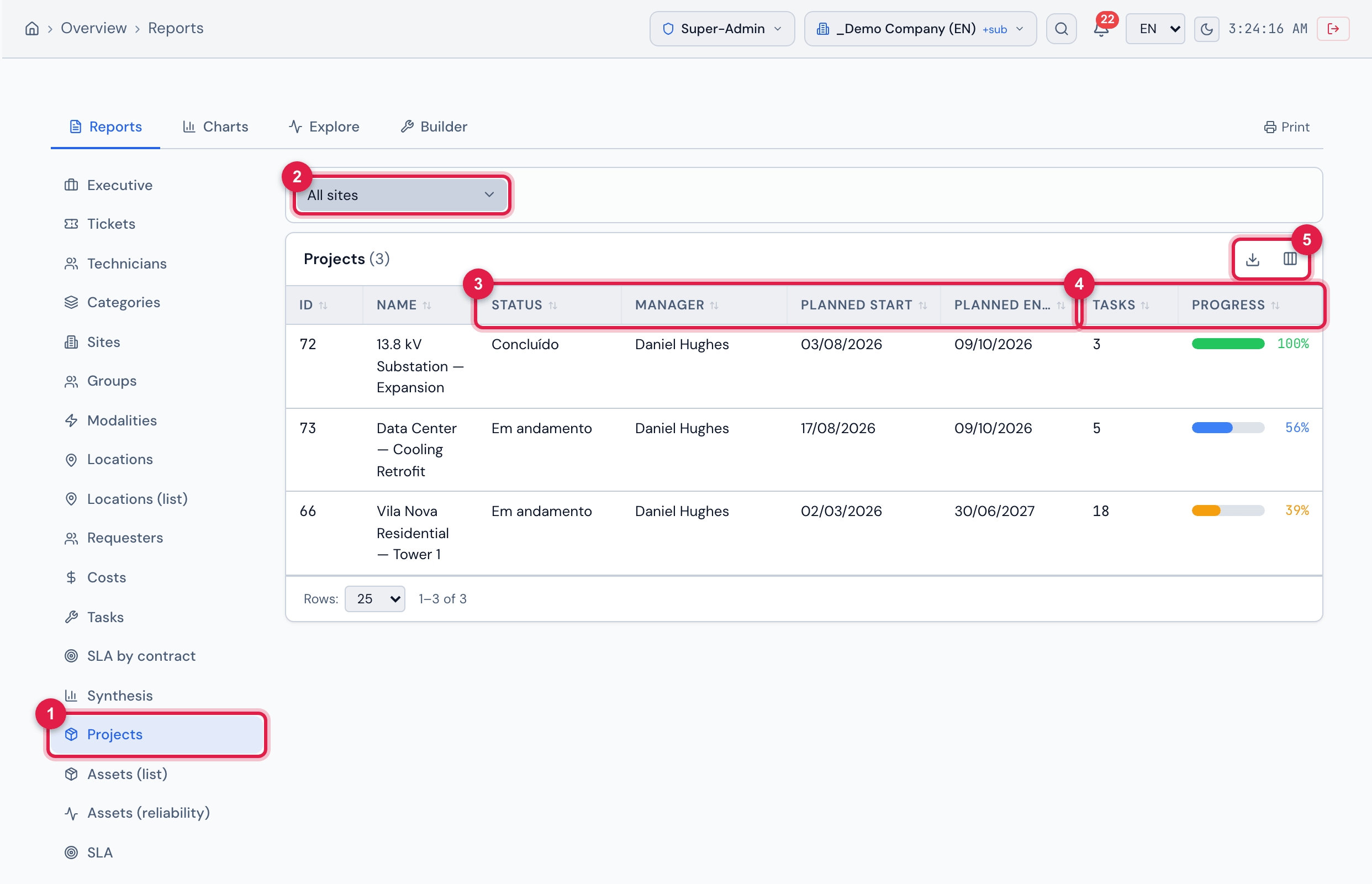
Figure 28. Overview › Reports › Projects: the site filter and the table with status, manager, planned dates, tasks and progress of the three example projects.
- 1Projects item in the reports sidebar.
- 2Site filter — All sites or one site (with search by name).
- 3Status, Manager, Planned start and Planned end.
- 4Tasks and Progress.
- 5Columns and Export.
| Column | What it shows |
|---|---|
| ID / Name | the project. |
| Code | the project code, when there is one (hidden at first). |
| Status | the project state. |
| Site | the site, with the full path (hidden at first). |
| Manager | the manager. |
| Planned start / Planned end | the planned dates. |
| Tasks | how many tasks the project has. |
| Progress | the %, according to the progress mode of each project (chapter 3). |
- The site filter follows the site chosen in the header: when you change the site there, the list follows.
- Sort by ID, Name, Planned start, Planned end or Progress.
- Export brings all the projects of the filter, not only the open page.
- Deleted projects are not included.
- For the details of a project — schedule, slack, S-curve — use the Gantt PDF (chapter 4).
Was this page helpful?
Thanks for the feedback!
Got it — we will improve this page.