
Set up the PMOC of a building
The PMOC (Maintenance, Operation and Control Plan) is required by Brazilian Law 13,589/2018 for every building of public and collective use with air conditioning. In H2O it lives in Operations › PMOC, one per building, and reuses what you already have: the HVAC assets, the site ART, the task templates and the Automatic Schedule.
You need: the Maintenance Plans right (Create and Update) in your profile; the HVAC assets registered on the building site; the ART attached to the site as a legal document of type ART; and a working-days calendar.
- In Operations › PMOC, click New PMOC: enter the PMOC name, the Building site and the Building name, and click Create. The page opens as a Draft.
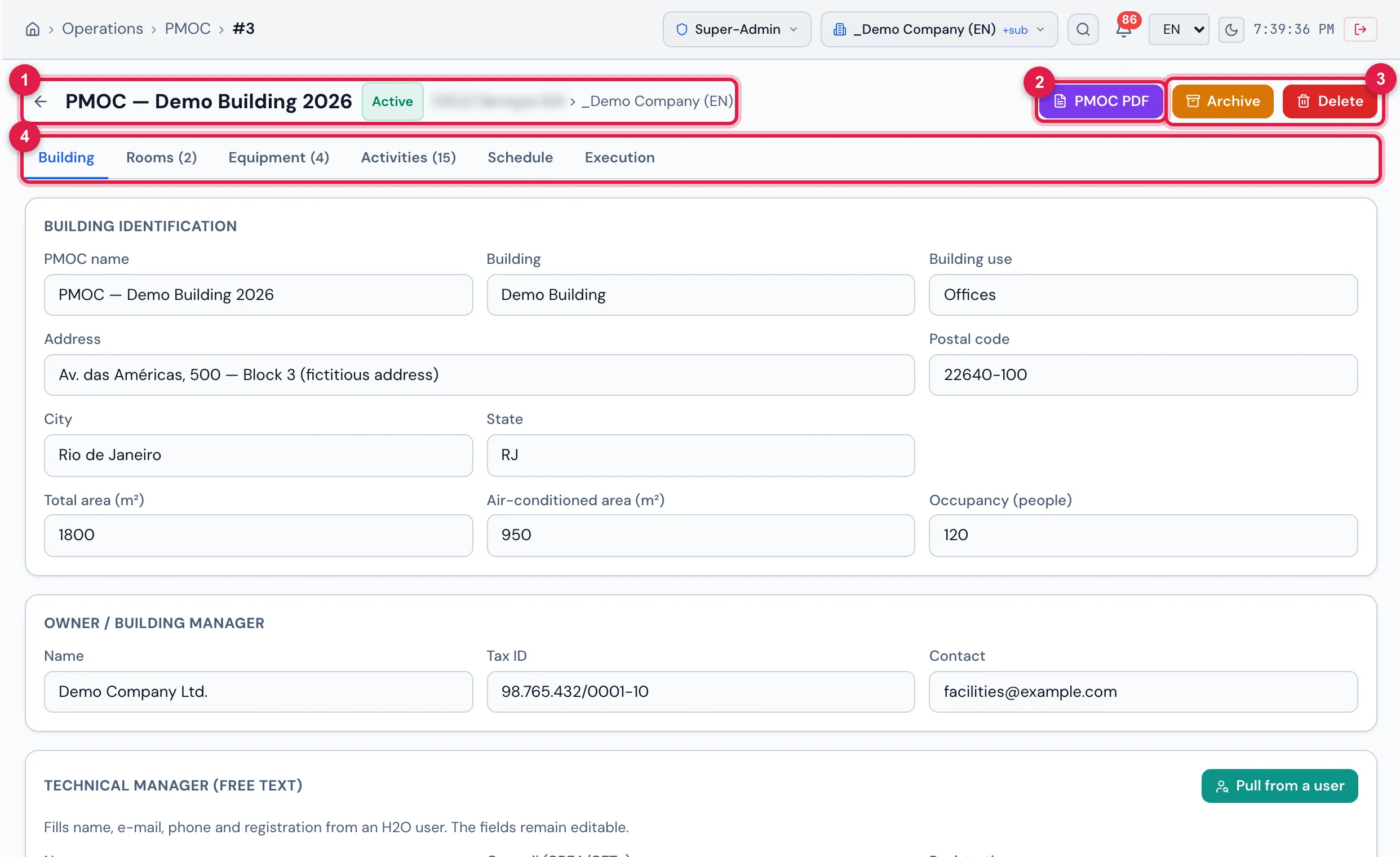
- In the Building tab, complete address, use, areas and occupancy, the Owner / building manager and the Technical manager (the Pull from a user button fills name, e-mail, phone and registration from an H2O user). Choose the Site legal document (type ART), type the ART number, the Validity and the Schedule calendar, and click Save.
- In the Rooms tab, click New room for each air-conditioned room (floor, area, occupancy, air renewal) and tick the equipment serving the room.
- Check the Equipment tab: it is the inventory of the site HVAC assets. Equipment without a room shows the amber badge — go back to step 3 if one is missing.
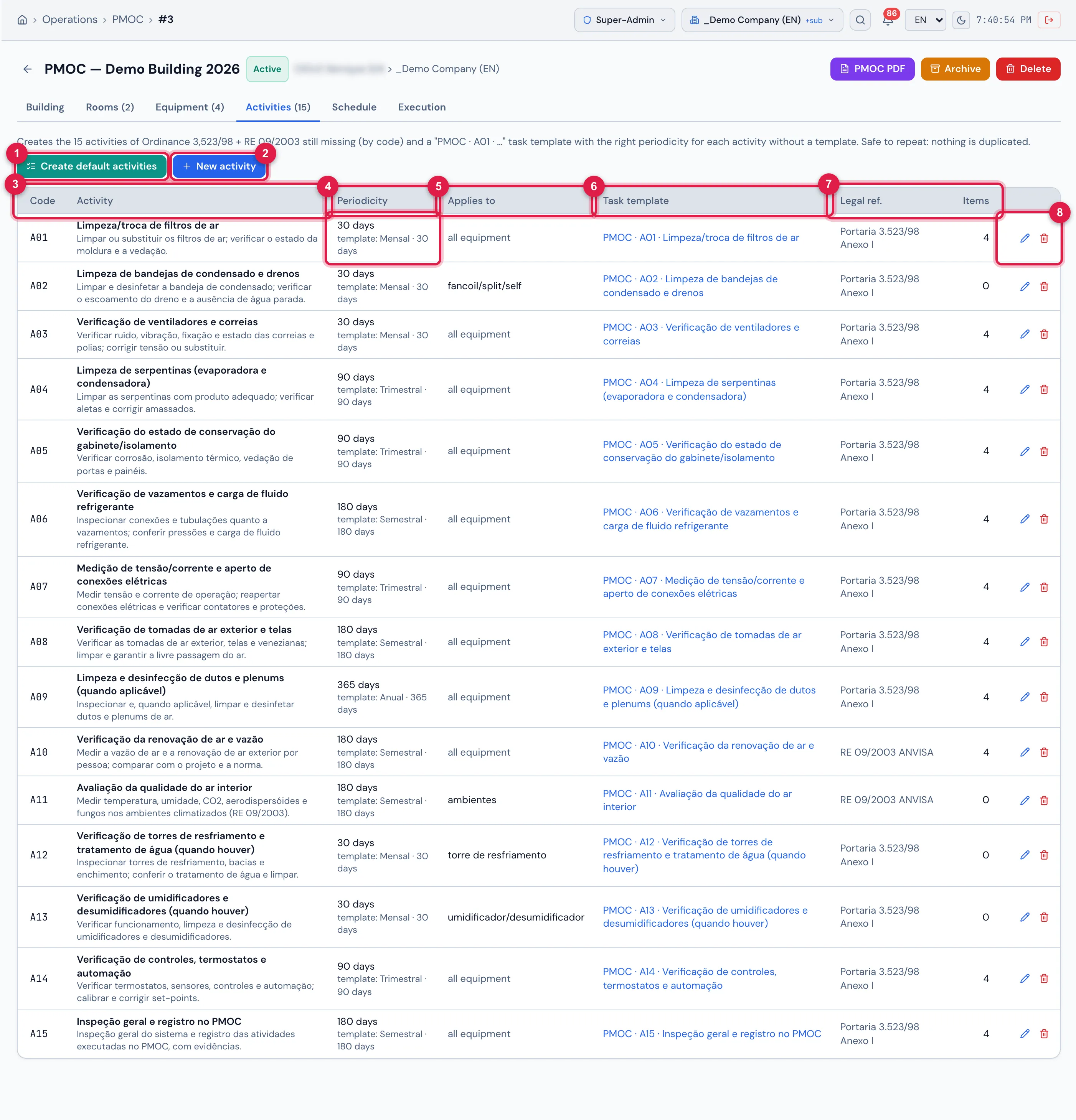
- In the Activities tab, click Create default activities and confirm: the 15 activities of Ordinance 3,523/98 and RE 09/2003 come in with the task template and the right periodicity. Adjust what your building needs (periodicity, Applies to, template) or add your own with New activity.
- Click Activate PMOC in the page header. If the site already had an active PMOC, it is archived and its schedule closed.
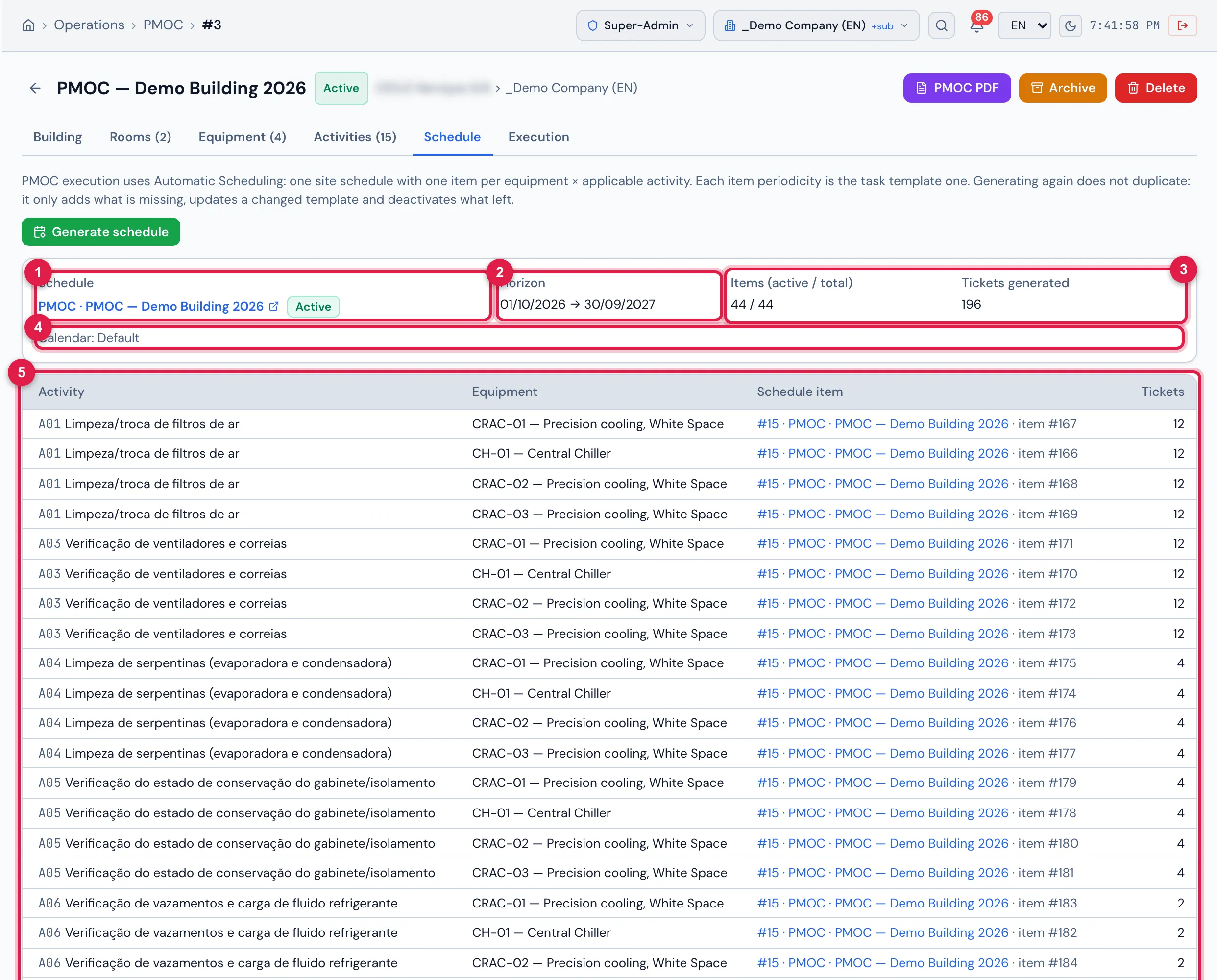
- In the Schedule tab, click Generate schedule and confirm: H2O creates a site Automatic Schedule with one item per equipment × activity and generates the preventive tickets on the calendar right away. Generating again does not duplicate.
- Follow up in the Execution tab (overdue in red, evidence per ticket) and, when needed, click PMOC PDF for the inspection document, with the signature lines of the technical manager and the building manager.
Was this page helpful?
Thanks for the feedback!
Got it — we will improve this page.