
Executing the lubrication
Manual — Lubrication · chapter 8 of 12
The technician opens the ticket, goes into the task and answers the checklist — on the computer or in the app, the same way as in any preventive maintenance. Each item is a lubrication point.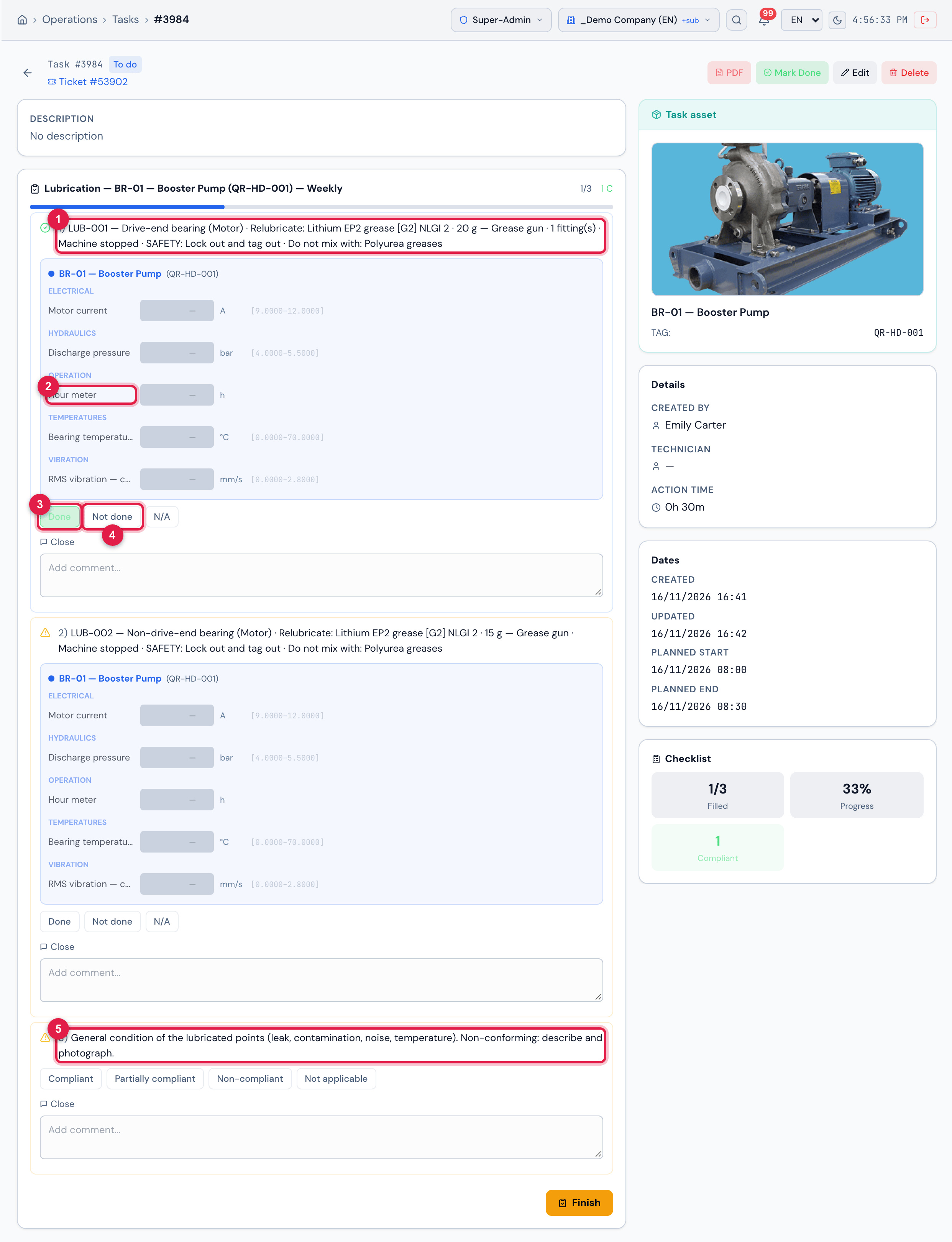
Figure 13. The checklist of the lubrication task.
- 1The point item: tag and name, lubricant, quantity, method, machine condition, safety and what not to mix.
- 2The equipment’s meters appear alongside — this is the time to write down the hour meter reading.
- 3Done records the execution with the planned quantity and writes off the stock.
- 4Not done — the item’s comment becomes the reason, which appears in the indicators.
- 5The last item, general condition: when marked Non-compliant, it follows the checklist’s non-conformity handling.
What each answer does
Section titled “What each answer does”| Answer | Effect |
|---|---|
| Done | Records the execution with the point’s quantity, saves the date (and the meter reading, for a point by usage), recalculates the next due date and writes off the stock. |
| A number (activity Top up level) | The item asks for the quantity actually applied. Zero means checked, nothing applied. |
| Not done | Records that the point was not done. The due date does not change; the comment is the reason. |
| NA | Records nothing. |
- Changing or clearing the answer undoes the record: the stock comes back and the point’s due date returns to what it was.
- The item’s comment becomes the note of the execution.
- If stock is short, the execution is recorded anyway and the pending item appears in the indicators (chapter 10) and in the point’s history.
Was this page helpful?
Thanks for the feedback!
Got it — we will improve this page.