
The site list
Manual — Companies and hierarchy · chapter 3 of 9
The People › Sites screen lists the sites of the header’s active site: with Site + sub-sites, the site and all the sites below it; with This site only, just that site. Whoever works with the Root and Site + sub-sites sees the whole tree. The order is by Full Name, which places each sub-site right below its parent.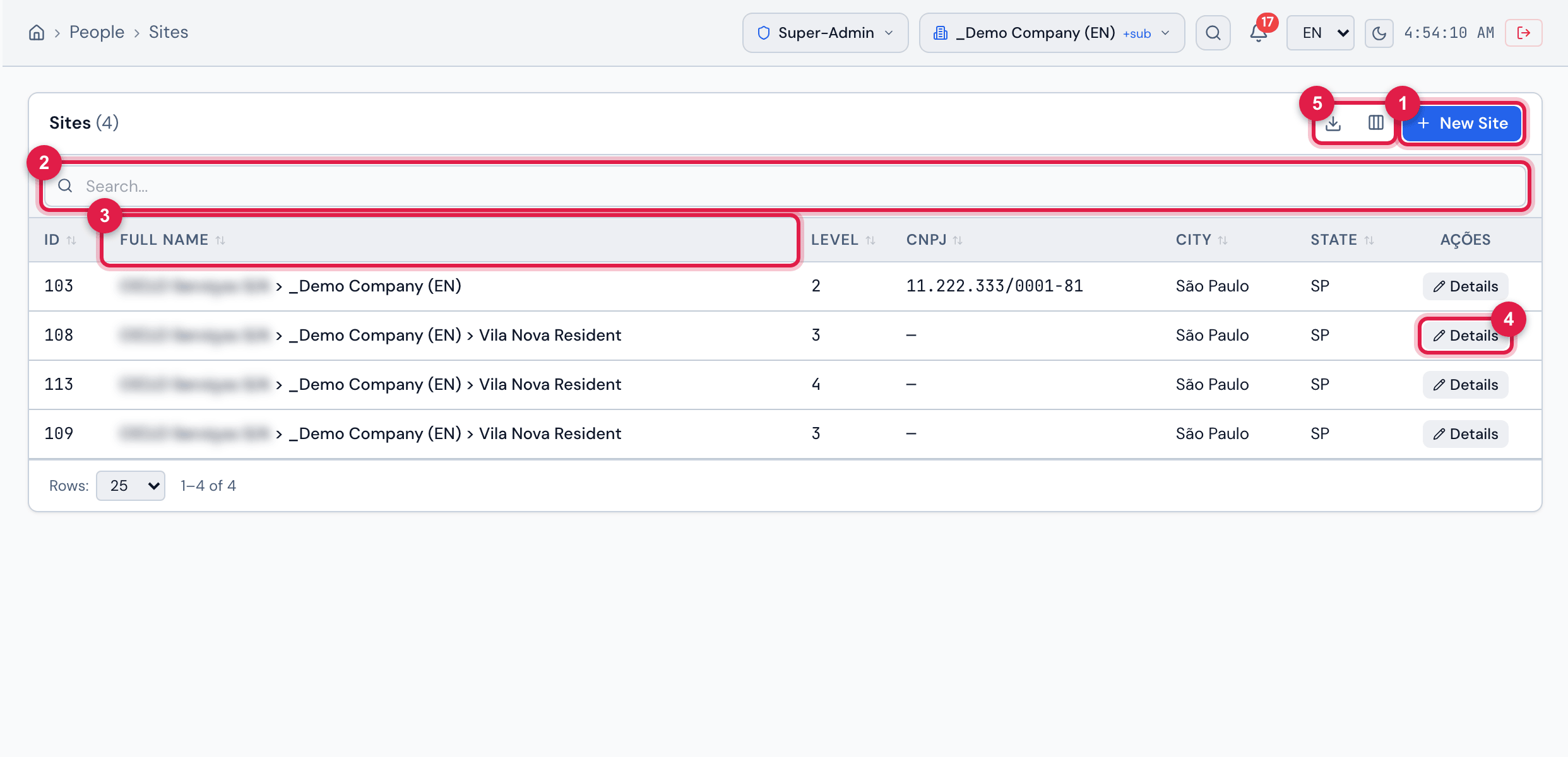
Figure 3. People › Sites with the company and its sub-sites: the ID, Full Name, Level, CNPJ, City and State columns, the search, the New Site button and, on each row, Details.
- 1New Site — opens the registration (chapter 4). It only appears with the Create level.
- 2Search — looks in the name, full name, CNPJ and city; press Enter to search.
- 3Full Name — the path from the Root; Level shows the depth.
- 4Details — opens the site record (chapter 5). Clicking the row does the same.
- 5Columns and Export icons (Excel or PDF).
- Columns turns columns on and off. Besides the visible ones, there are Phone, Email and Sub-sites (how many sites are directly below each one).
- Click the header of any column — ID, Full Name, Level, CNPJ, City, State, Phone, Email or Sub-sites — to sort by it.
- Export generates Excel or PDF of the current page or of everything the filter reaches.
- Without the Read level of the Sites / Entities right, the screen shows No permission to access this module.
Was this page helpful?
Thanks for the feedback!
Got it — we will improve this page.