
Lubrication points
Manual — Lubrication · chapter 3 of 12
The Points tab is the plan: all the lubrication points of your sites, with the status of each one.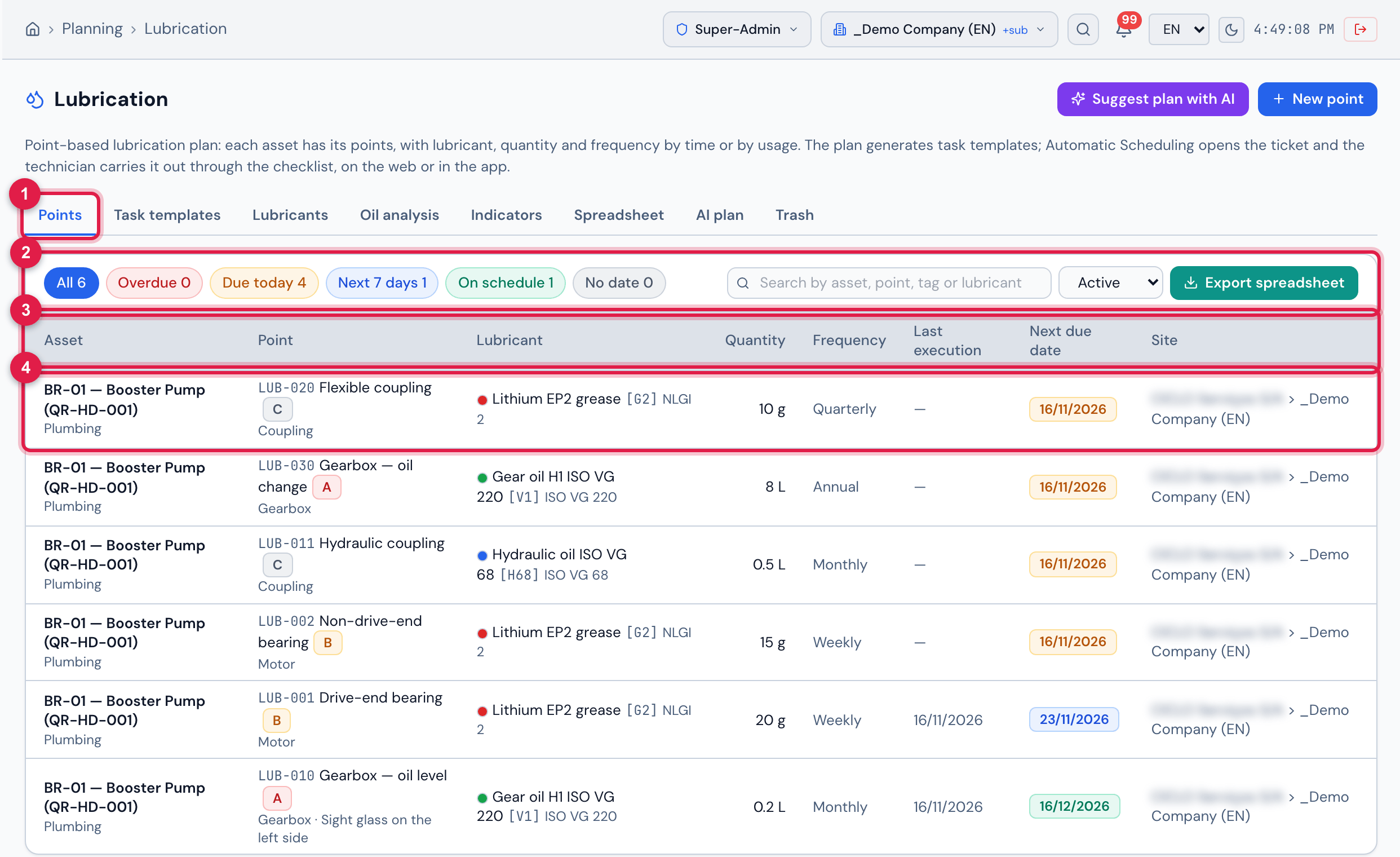
Figure 3. The Points tab.
- 1The Points tab.
- 2The filters by status (Overdue, Due today, Next 7 days, On schedule, No date), the search, the active/inactive filter and Export spreadsheet.
- 3The columns: asset, point, lubricant, quantity, frequency, last execution, next due date and site.
- 4A point. Click the row to open its page.
The point page
Section titled “The point page”In New point, choose the asset type and the asset; then fill in the form. On an existing point, the asset cannot be changed.
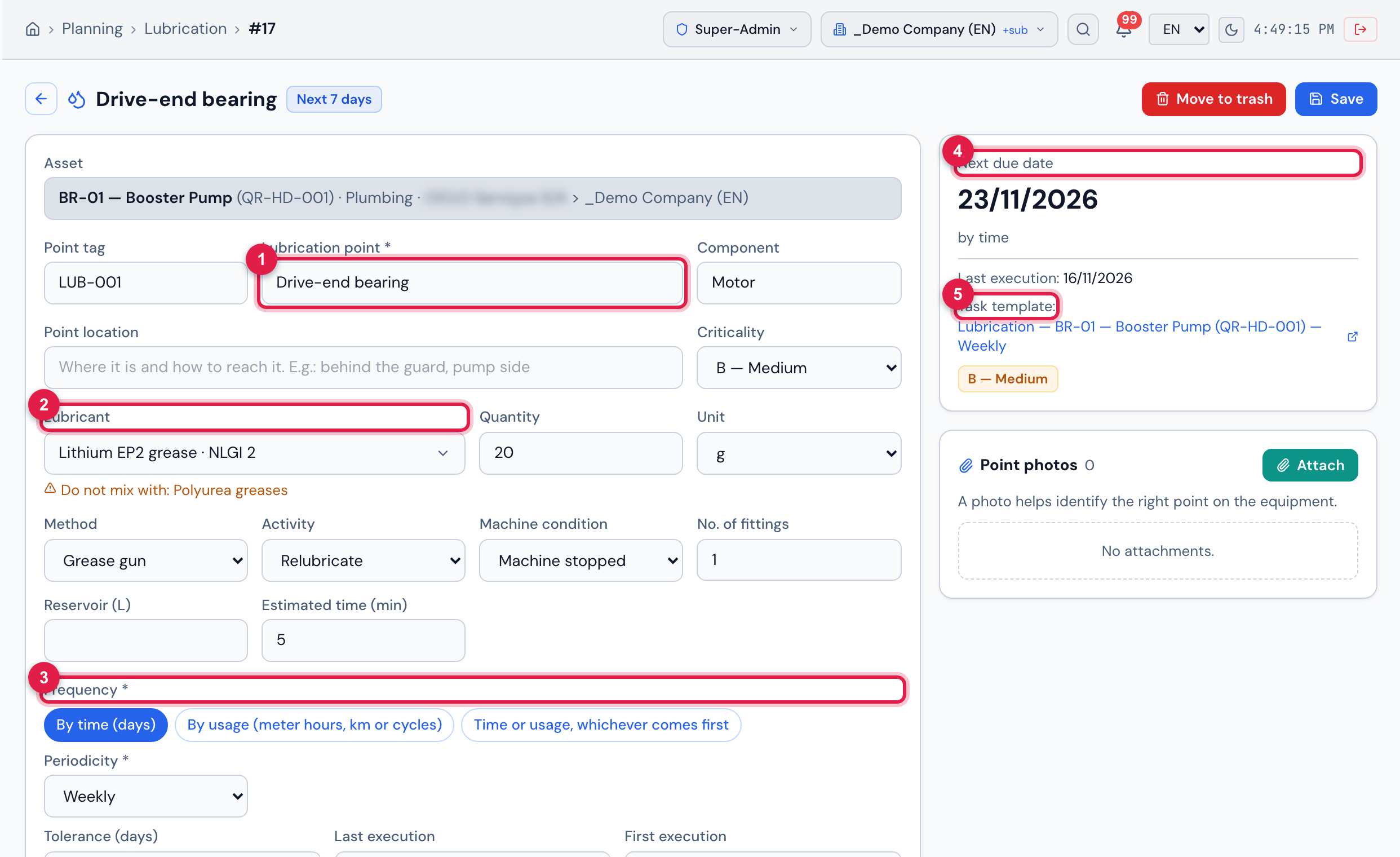
Figure 4. The page of a lubrication point.
- 1The point name; next to it, the tag and the component.
- 2The lubricant, the quantity, the unit, the method and the activity. The “do not mix with” warning comes from the lubricant registration.
- 3The frequency — by time, by usage or whichever comes first.
- 4The next due date, calculated by the system.
- 5The task template that covers this point (chapter 6).
| Field | What it is for |
|---|---|
| Activity | Relubricate, Top up level, Change the lubricant, Inspect or Take a sample. It defines how the item appears in the checklist (chapter 8). |
| Method | Manual, grease gun, brush, oil can, spray, automatic lubricator, oil bath or other. |
| Machine condition | Stopped, running or any — it appears in the checklist. |
| Criticality | A (high), B (medium) or C (low). |
| Tolerance (days) | Days after the due date during which the point is still not counted as overdue. |
| Safety precaution | Text that goes to the checklist, highlighted. |
| Point photos | They help identify the right point on the equipment. |
The frequency
Section titled “The frequency”- By time — choose the periodicity (daily, weekly, biweekly, monthly, bimonthly, quarterly, semiannual or annual) or Custom, with the number of days.
- By usage — every so many hours, kilometers or cycles of a cumulative meter of the asset. The system projects the date from the pace of the readings.
- Time or usage, whichever comes first — the due date that arrives first applies.
In Last execution, enter when the point was last lubricated, if you know: the next due date counts from there. If blank, the point is due on the day it is registered (or on the First execution date, if entered).
The history
Section titled “The history”At the bottom of the page is the Execution history: every time the point was answered in a checklist.

Figure 5. The execution history of a point.
- 1The Execution history.
- 2One execution: date, the ticket (click to open it), the status and who did it, the lubricant, the quantity applied, the result of the stock write-off and the note.
Was this page helpful?
Thanks for the feedback!
Got it — we will improve this page.