
ESG dashboard
Manual — Environment · chapter 8 of 11
The ESG dashboard is a read layer over everything already recorded: nothing is typed twice. Only consumption that does not come from a meter (bills and invoices) and man-hours are entered as entries; H2O meter readings in kWh, m³ or L come in on their own. At the top of the ESG — environmental, social and governance indicators screen are the period (month by month, default: last 12 months), the site and the contract filter, which apply to all three tabs.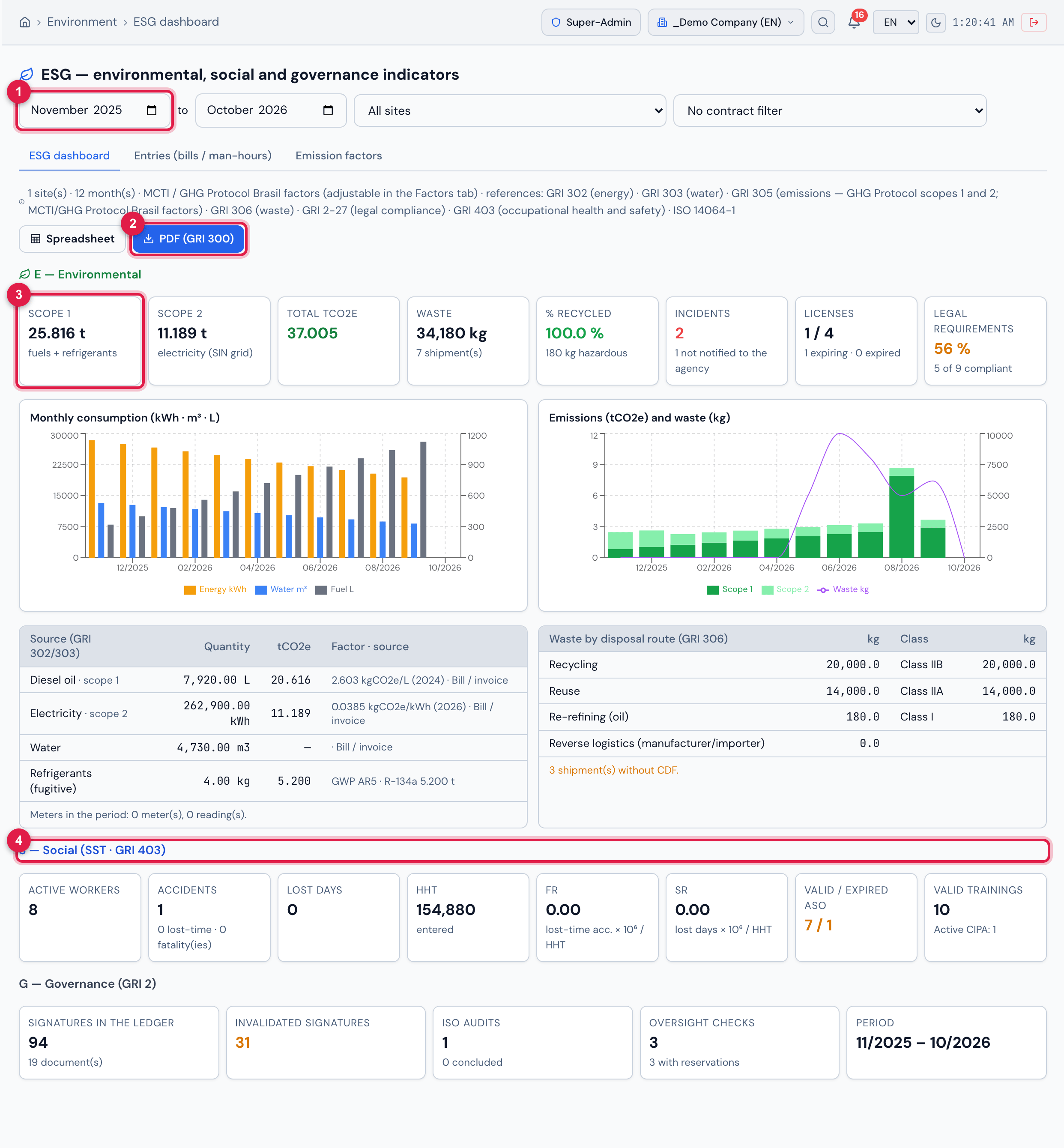
Figure 24. The ESG dashboard tab, from November 2025 to October 2026. E — Environmental: Scope 1 of 25.816 t (fuels + refrigerants), Scope 2 of 11.189 t (electricity, SIN grid), total of 37.005 tCO₂e, 34,180 kg of waste with 100.0 % recycled, 2 incidents (1 not notified to the agency), licenses 1 / 4 and 56 % of legal requirements compliant, with the monthly charts and the tables by source (with the factor used) and by disposal route. S — Social (from SST): active workers, accidents, lost days, HHT entered, FR, SR, valid ASOs and trainings and the active CIPA. G — Governance: signatures in the ledger and invalidated ones, ISO audits and oversight checks.
- 1Period (first and last month); next to it, site and contract filter.
- 2PDF (GRI 300); next to it, Spreadsheet.
- 3Scope 1 indicator.
- 4S — Social (SST · GRI 403) block.
With a contract chosen in the contract filter, the dashboard considers only the contract’s sites and the PDF button becomes Contract report (A3P/PLS). Licenses and requirements show today’s situation; everything else shows what happened in the period. Refrigerant leaks add to scope 1 through the “Leak detected” operation.
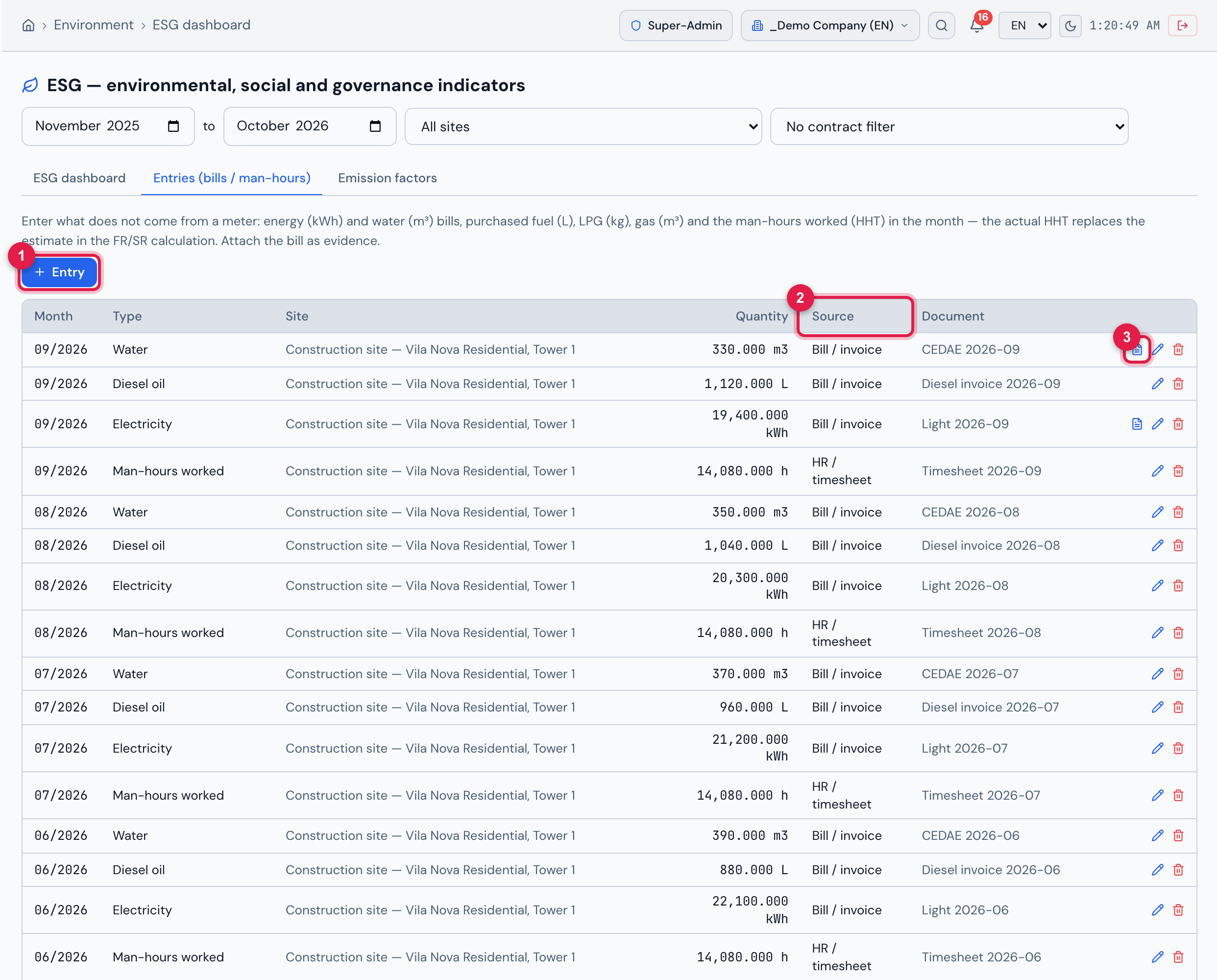
Figure 25. The Entries (bills / man-hours) tab: one entry per month and type — water, diesel oil, electricity and man-hours worked at the site — with quantity, source (Bill / invoice, HR / timesheet) and the bill or document number. The water and electricity bills of 09/2026 have the file attached (document icon). The + Entry button records electricity (kWh), water (m³), diesel oil, gasoline and ethanol (L), LPG (kg), natural gas and CNG (m³), man-hours worked (h) or other, with the bill/invoice file (PDF, image or XML).
- 1+ Entry.
- 2Source column (bill/invoice, meter, estimate, HR/timesheet).
- 3Icon of the attached file — opens the bill.
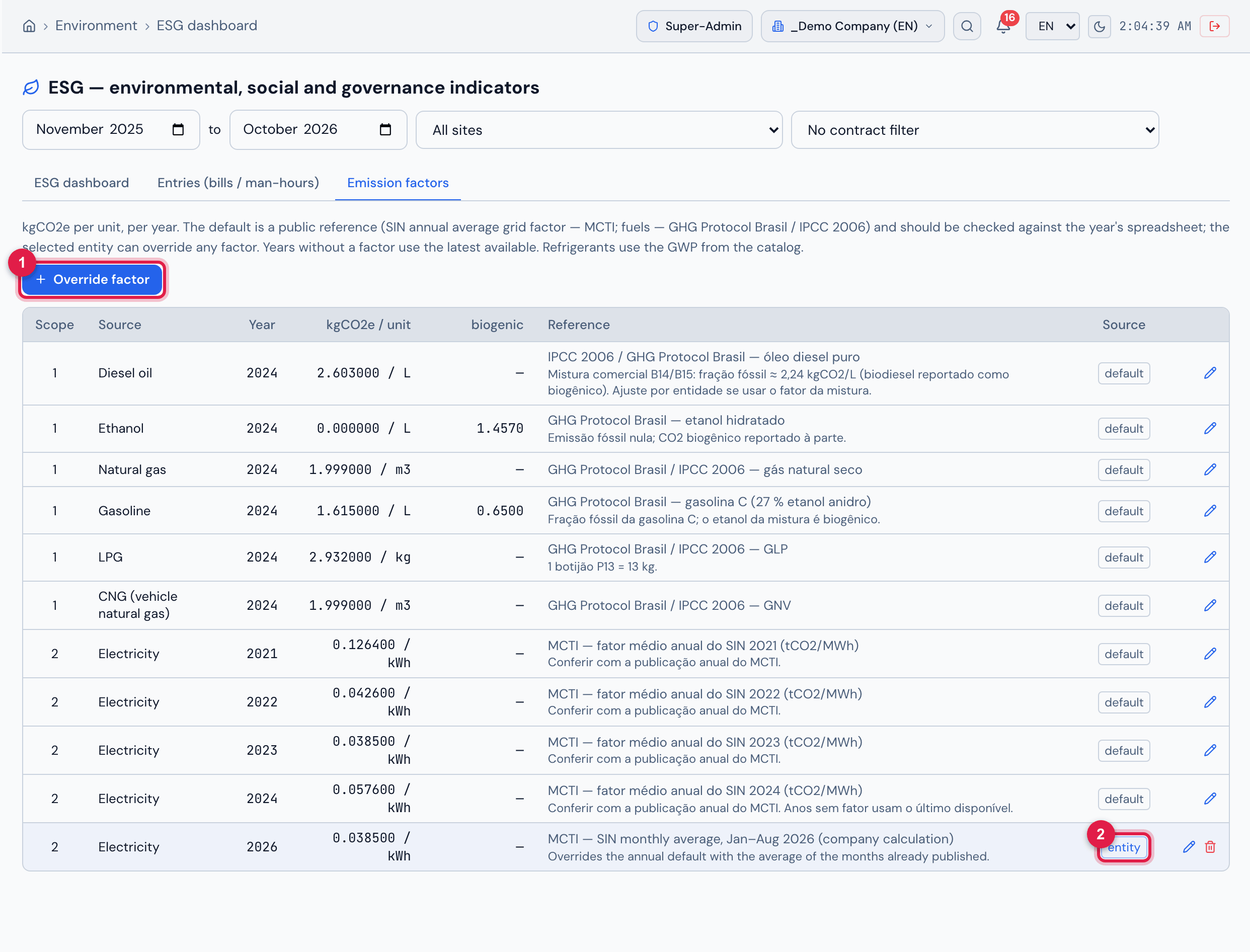
Figure 26. The Emission factors tab: kgCO₂e per unit and per year, with biogenic CO₂ reported separately, the reference and the origin — default (public reference: SIN grid annual average factor — MCTI; fuels — GHG Protocol Brasil / IPCC 2006) or entity (the company’s override: electricity 2026, 0.0385 kgCO₂e/kWh, SIN monthly average for Jan–Aug). Years without a factor use the latest available; refrigerants use the GWP from the catalog.
- 1Override factor.
- 2entity origin — the bin next to it removes the override and the default applies again.
To use a different factor, select the entity in the selector at the top and click Override factor (or the pencil on a row): source, year, kgCO₂e and biogenic kgCO₂ per unit, reference and notes. The override applies only to the entity and shows as entity; its trash can removes the override and the default applies again. The default factor cannot be deleted.
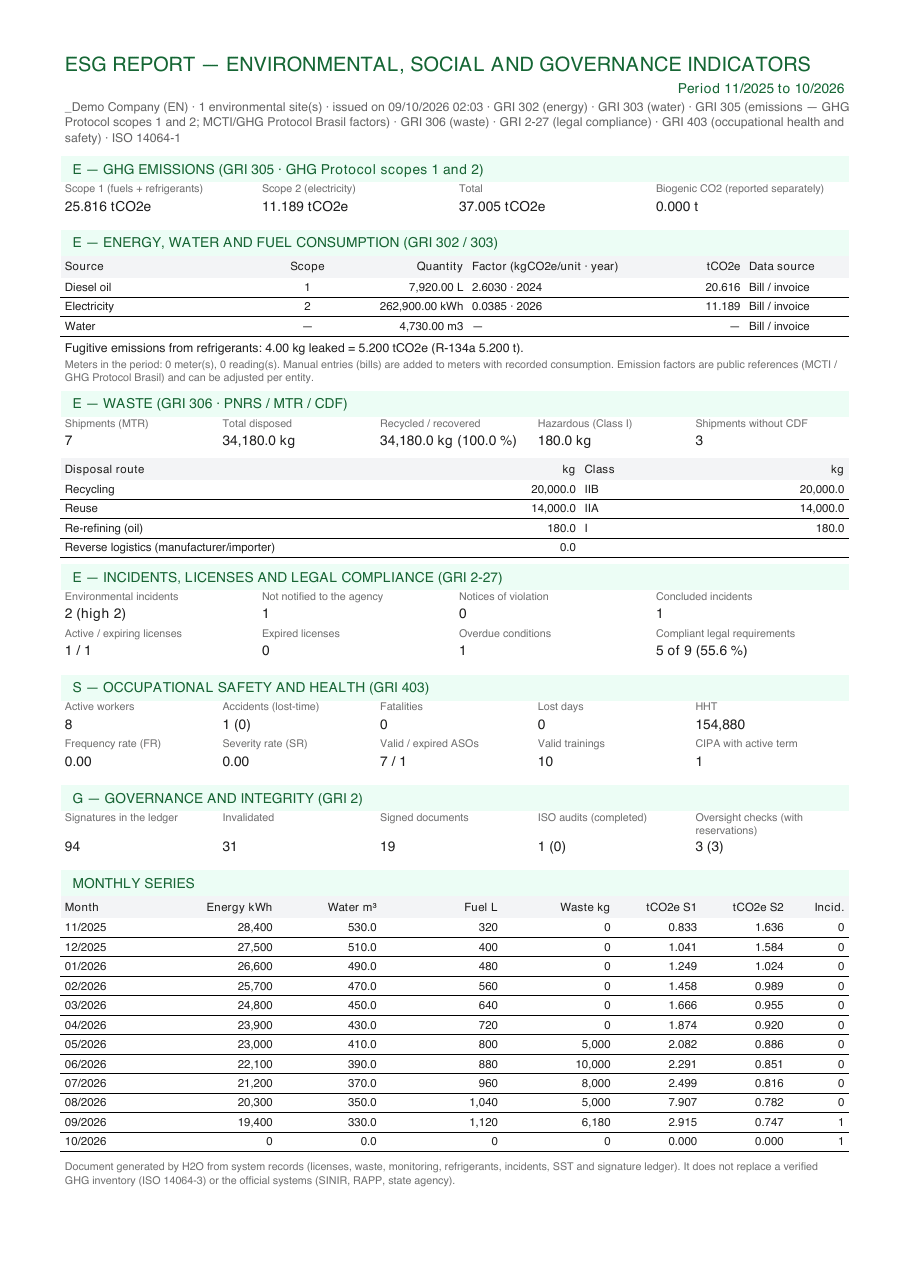
Figure 27. The ESG (GRI 300) PDF of the company “_Demo Company (EN)”, period 11/2025 to 10/2026: emissions (scope 1, scope 2, total and biogenic CO₂), consumption by source with the factor used, waste by disposal route, incidents/licenses/legal compliance, occupational safety and health, governance and the monthly series. With the contract filter, the title becomes Contract environmental report (A3P / PLS · Law 14.133 art. 144).
Was this page helpful?
Thanks for the feedback!
Got it — we will improve this page.