
Revalidate a PT in the app
A PT that lasts several days is revalidated every day, in the app itself, with the same roles signing.
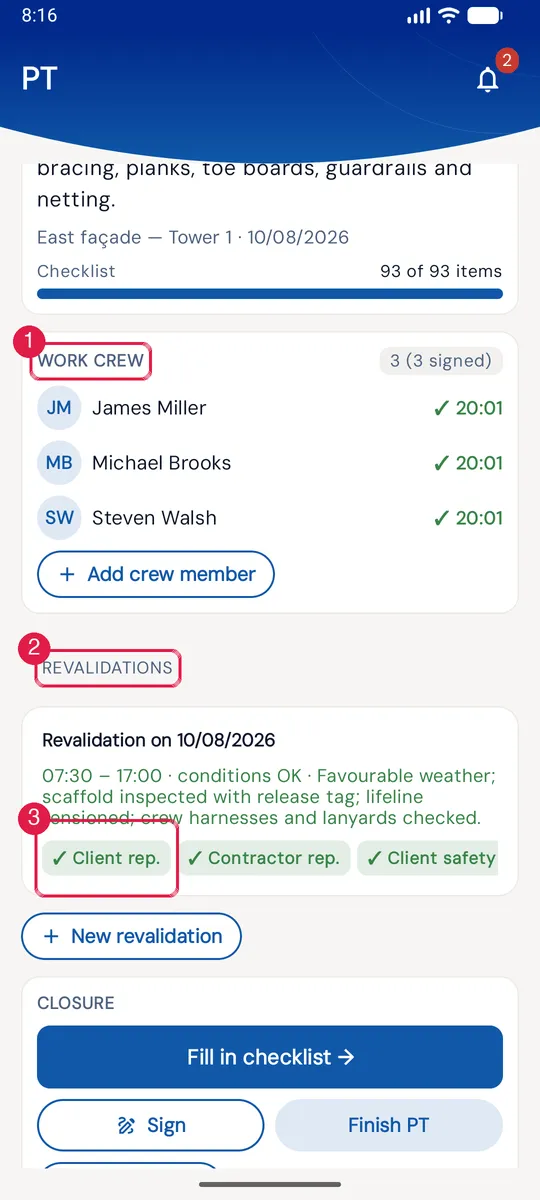
- Open the PT. In the Revalidations section, tap New revalidation.
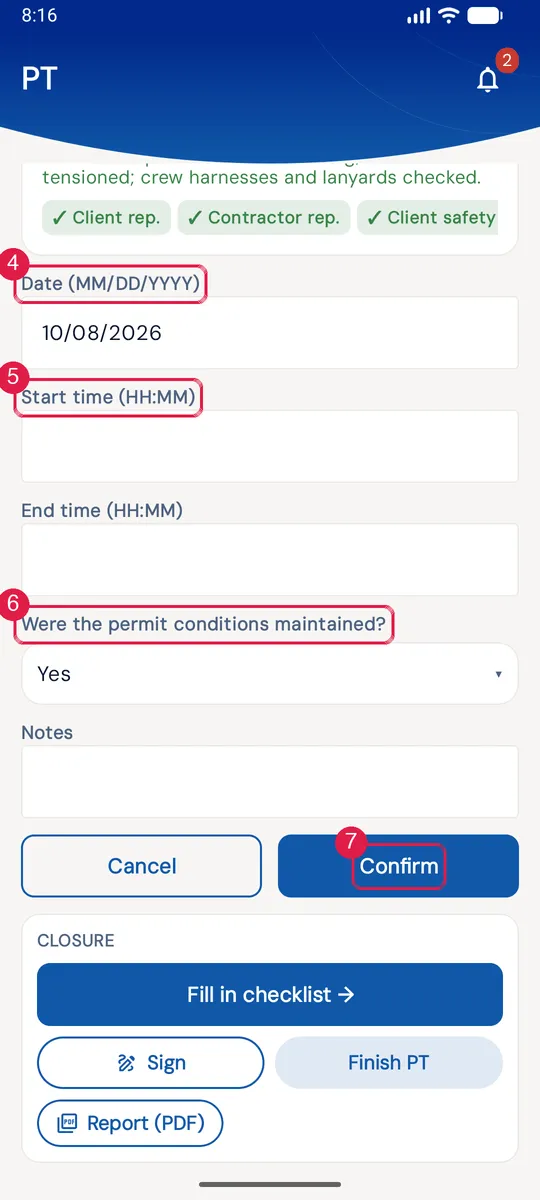
- Enter the Date, the Start time and the End time, answer Were the permit conditions maintained? and, if needed, the Notes. Tap Confirm.
- Collect the signatures: each revalidation shows the four role badges (✓ = signed). Tapping a pending role opens the signature pad.
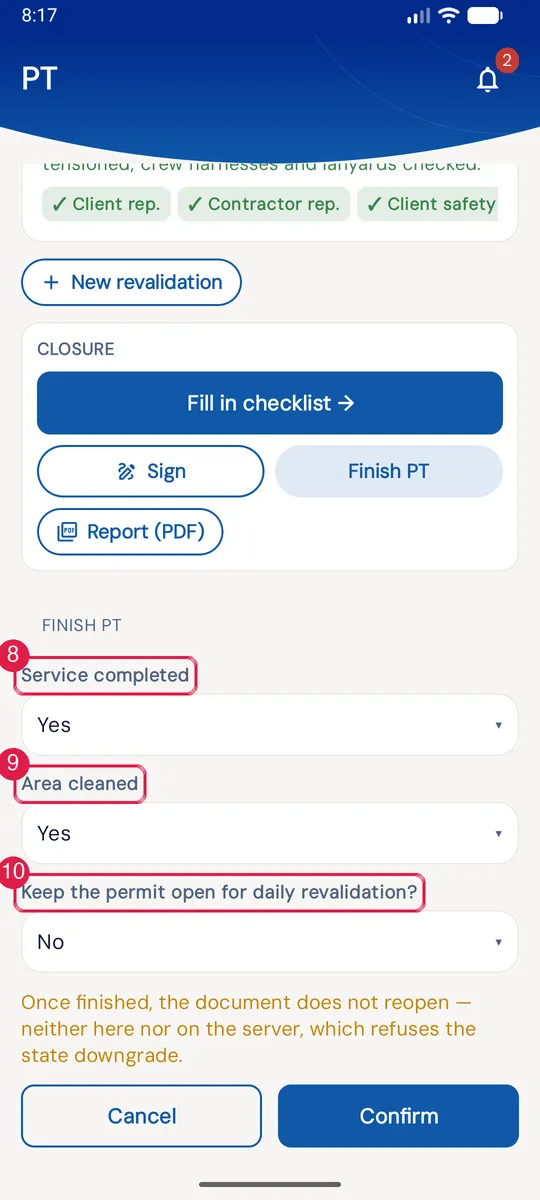
- At the end of the day, tap Finish PT and answer Service completed, Area cleaned and Keep the permit open for daily revalidation?. With Yes, the day’s closing is recorded and the PT stays open.
Was this page helpful?
Thanks for the feedback!
Got it — we will improve this page.