
Lubricants
Manual — Lubrication · chapter 2 of 12
Open Planning › Lubrication and the Lubricants tab. It is the catalogue of what is applied in the plant — each lubrication point refers to an item from here.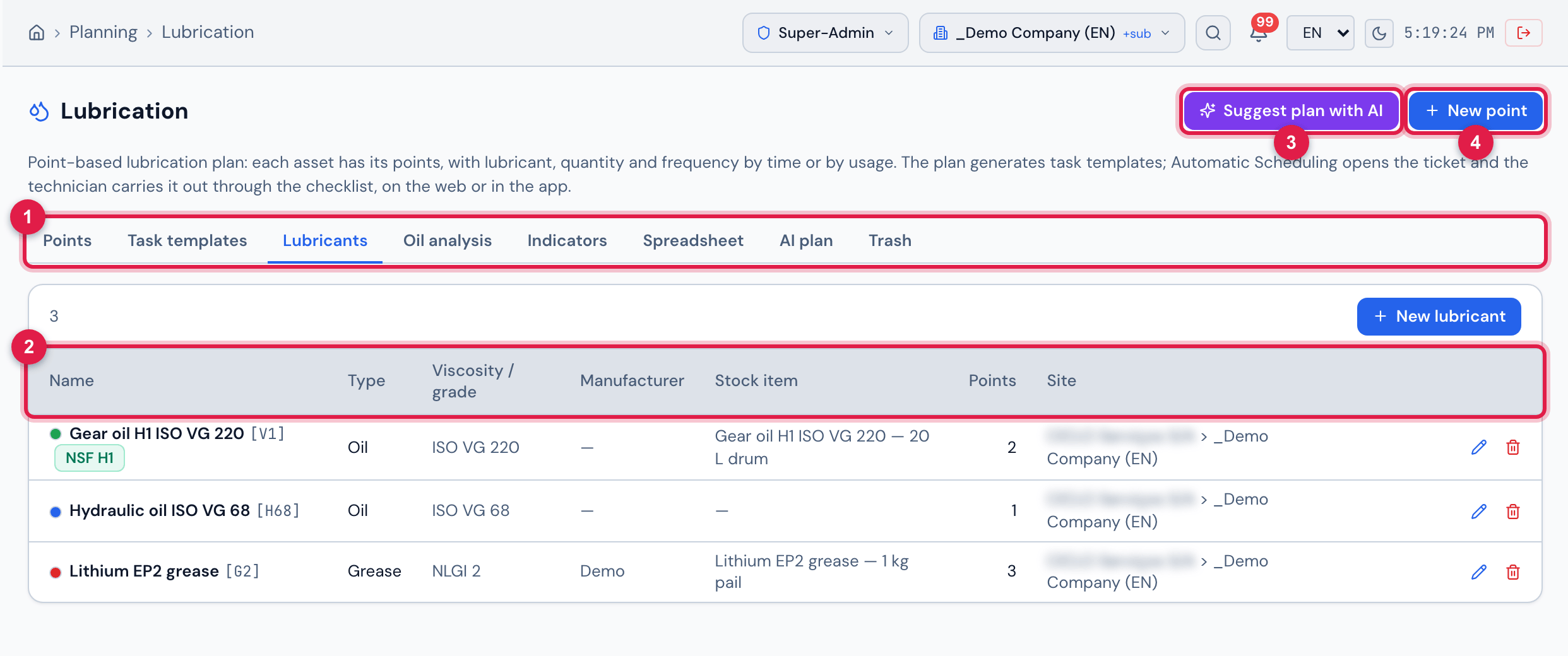
Figure 1. The Lubrication screen, on the Lubricants tab.
- 1The tabs of the module: Points, Task templates, Lubricants, Oil analysis, Indicators, Spreadsheet, AI plan and Trash.
- 2The catalogue: name with the identification color and code, type, viscosity or grade, manufacturer, the linked stock item, how many points use it and the site.
- 3Suggest plan with AI — shortcut to the AI plan tab (chapter 5).
- 4New point — registers a point by hand (chapter 3).
Registering a lubricant
Section titled “Registering a lubricant”- Click New lubricant.
- Enter the name and the type (oil, grease or other) and the default unit (ml, L, g or kg).
- Fill in the classification (ISO VG, SAE, AGMA, NLGI) and the grade; if you wish, the base, the thickener, the specifications and the temperature range.
- In Do not mix with, list the incompatible products: the warning appears on the point page and in the technician’s checklist.
- Click Save.
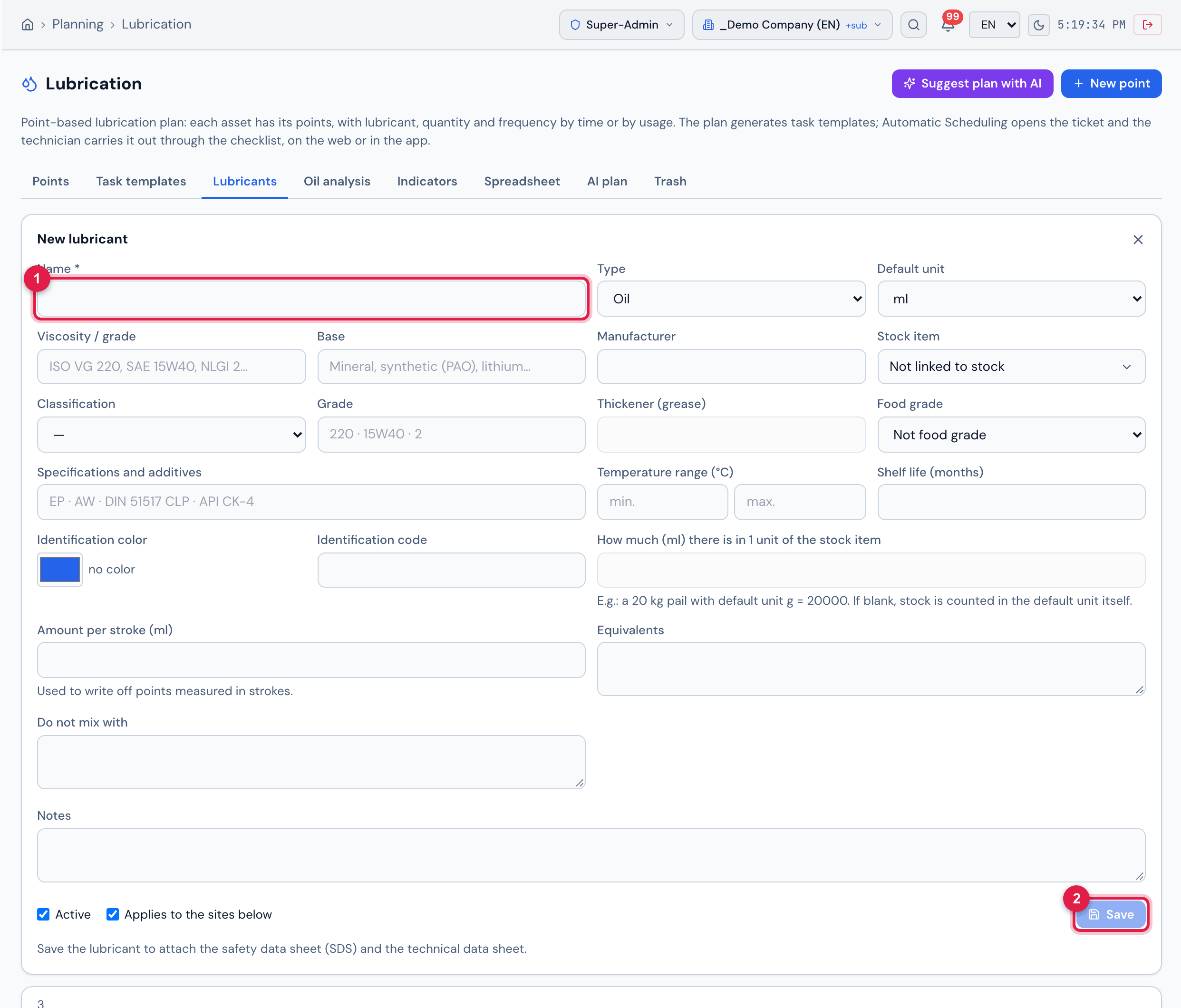
Figure 2. The New lubricant form.
- 1The name is the only required field. The others can be completed later.
- 2Save. Once saved, the lubricant accepts attachments — the safety data sheet (SDS) and the technical data sheet.
- Identification color and identification code: the marking used on the fittings and containers, so that nobody applies the wrong product.
- Food grade (NSF H1, H2, H3 or 3H), when applicable.
- Applies to the sites below: a lubricant registered on a site also appears on the sites below it.
Linking to stock
Section titled “Linking to stock”For H2O to write off stock and forecast purchases, the lubricant needs two pieces of information:
- Stock item — the warehouse material that corresponds to this lubricant.
- How much there is in 1 unit of the stock item — the conversion. Example: the item is a 1 kg pail and the lubricant’s default unit is grams; enter 1000.
Was this page helpful?
Thanks for the feedback!
Got it — we will improve this page.