
Contacts
Manual — Suppliers, contacts and workforce · chapter 5 of 8
People › Contacts lists the people of the companies you work with. A contact is not a user: it does not log in to H2O. It is used to keep the phone, e-mail and job title of whoever handles each supplier and to make up a project team.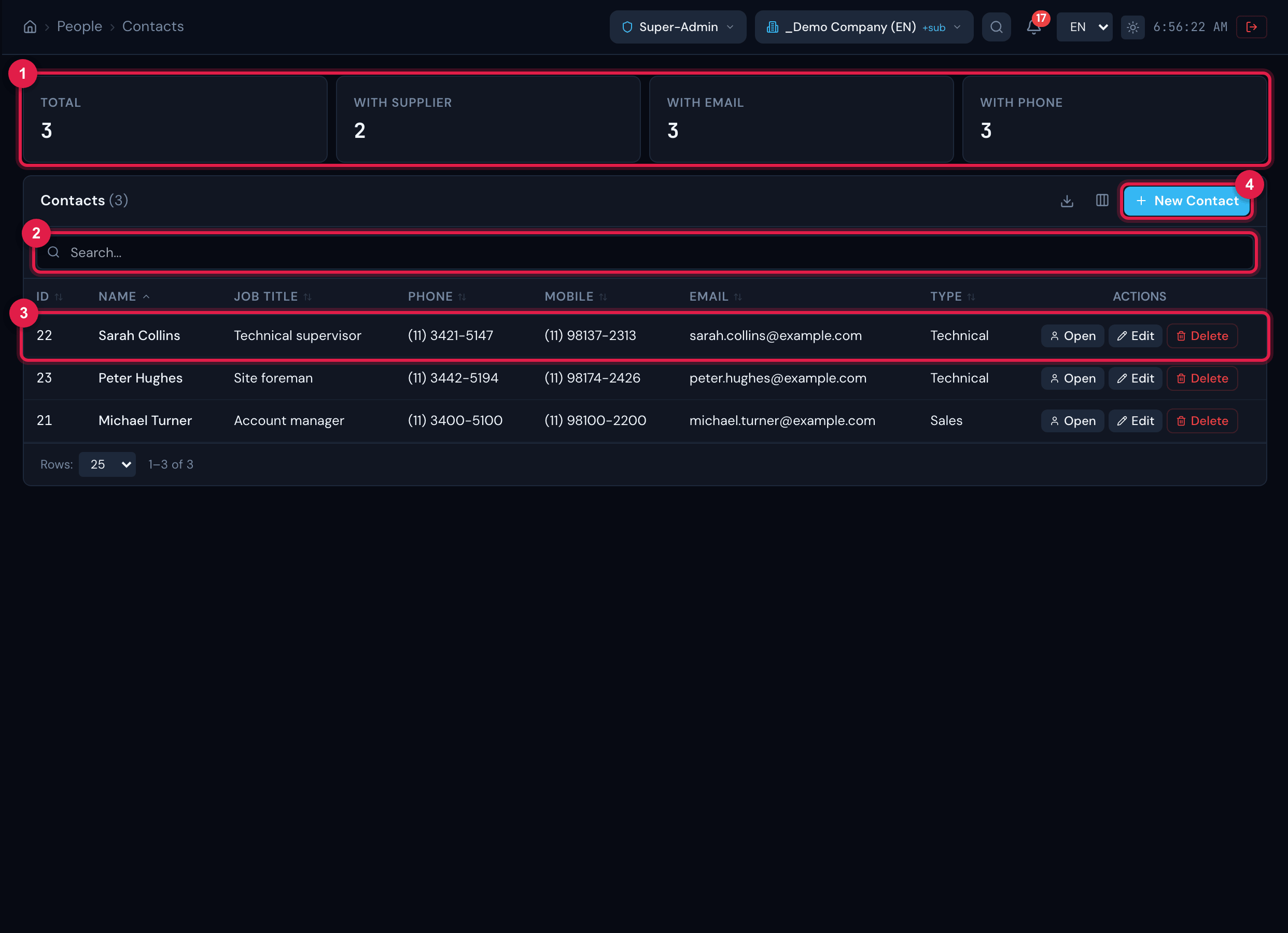
Figure 7. The Contacts list: Total, With supplier, With email and With phone cards; search; Name, Job title, Phone, Mobile, Email and Type columns.
- 1Count cards.
- 2Search (first name, last name, e-mail, phone, mobile or city).
- 3Contact row — click to open the record.
- 4New Contact.
- Visible columns: ID, Name (first and last name), Job title, Phone, Mobile, Email and Type; City, Entity and Modified are hidden.
- Cards: Total, With supplier (linked to at least one supplier), With email and With phone (phone or mobile).
- The row menu has Open, Edit and Delete (this one asks for confirmation and sends the contact to the trash; it disappears from the supplier records).
Registering a contact
Section titled “Registering a contact”Click New Contact and fill in First Name and Last Name (both required), Job title and Type (with the + to create a type), the Contact section (Phone, Phone 2, Mobile, Fax, Email), the Address and the Notes. Click Save. The contact is created in the site selected in the header and starts appearing in the Link contact selector of that site’s suppliers.
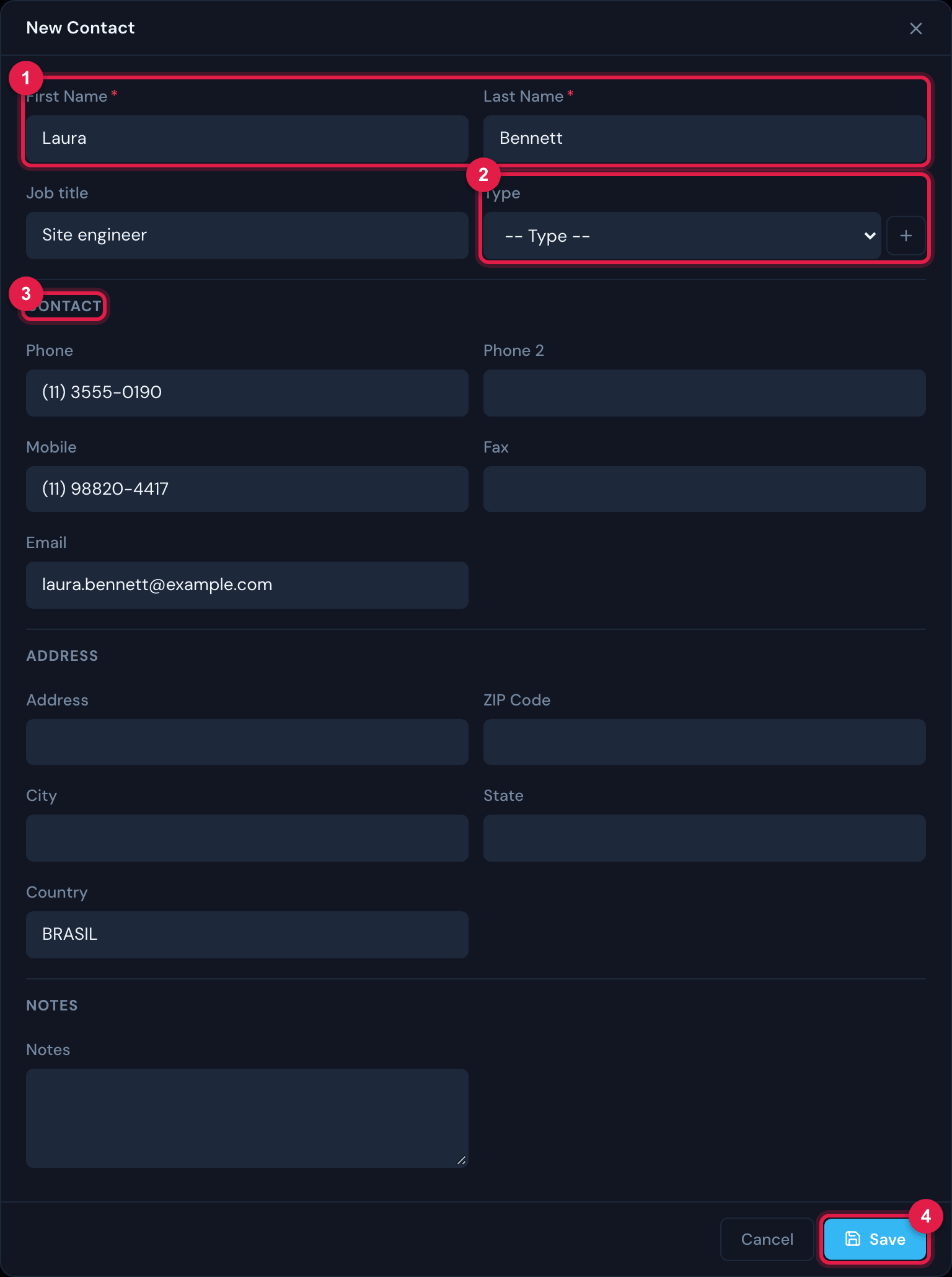
Figure 8. The New Contact form: First Name, Last Name, Job title, Type; Contact (phones, fax and e-mail); Address; Notes.
- 1First Name and Last Name (required).
- 2Type with the +.
- 3Contact section.
- 4Save.
The contact record
Section titled “The contact record”The record has two tabs: Information (the registration, with Edit and Delete at the top; when editing, the Entity — the contact’s site — also appears) and Suppliers (the companies the contact is linked to — click to open the supplier record). Saving without a last name, the record warns Last name required. As with the supplier, the record only opens for contacts within your reach (through the direct address, a contact of another site gives Error loading contact), and the Entity can only be changed to a site you reach.
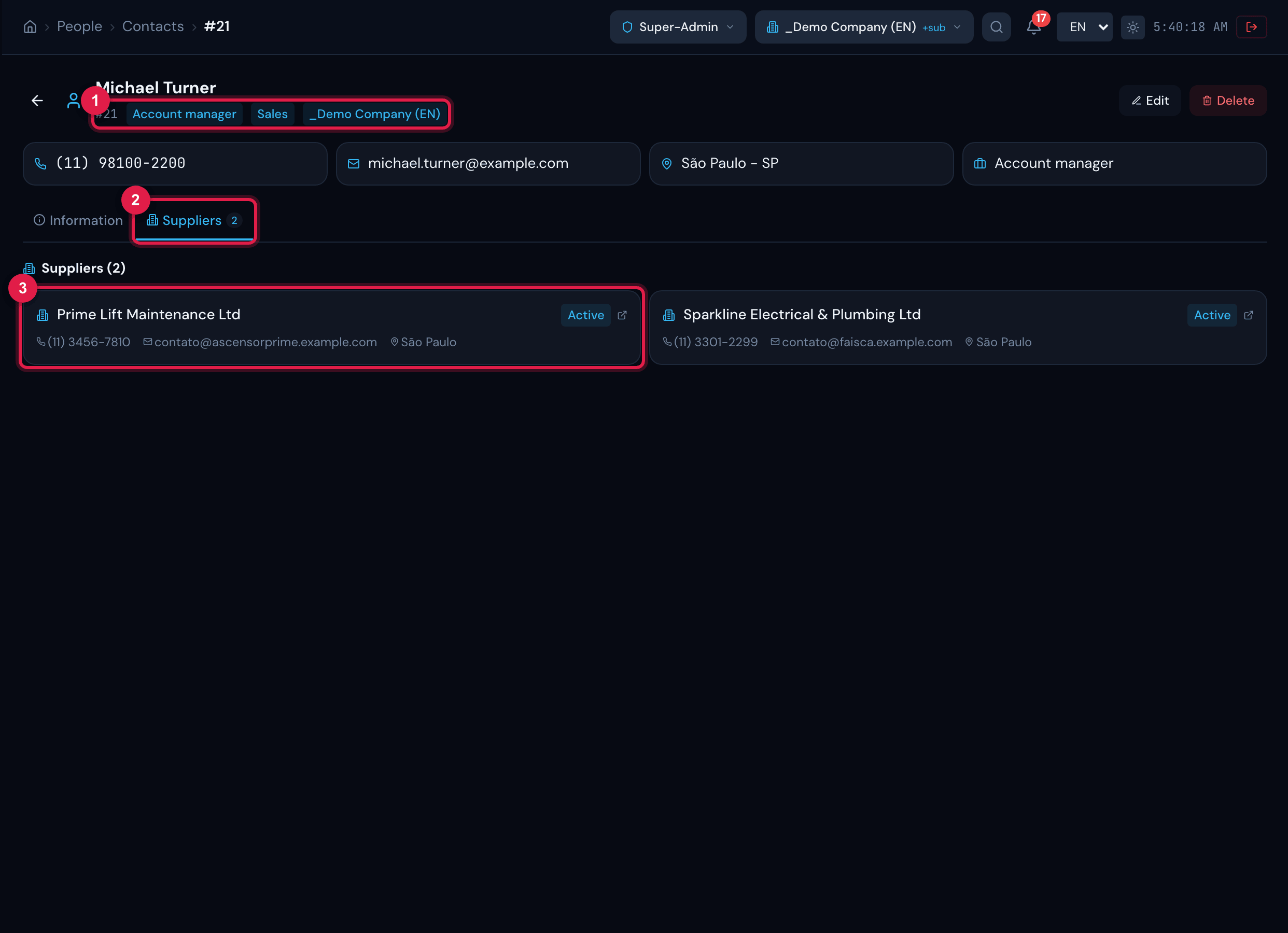
Figure 9. A contact record, Suppliers tab: the companies the contact is linked to.
- 1Header badges: number, job title, type and site.
- 2Suppliers tab with the count.
- 3Linked supplier — click to open it.
Was this page helpful?
Thanks for the feedback!
Got it — we will improve this page.