
Importing the plan from a spreadsheet
Manual — Lubrication · chapter 4 of 12
If you already have the lubrication plan in a spreadsheet, you can bring it in whole. Each row is a point.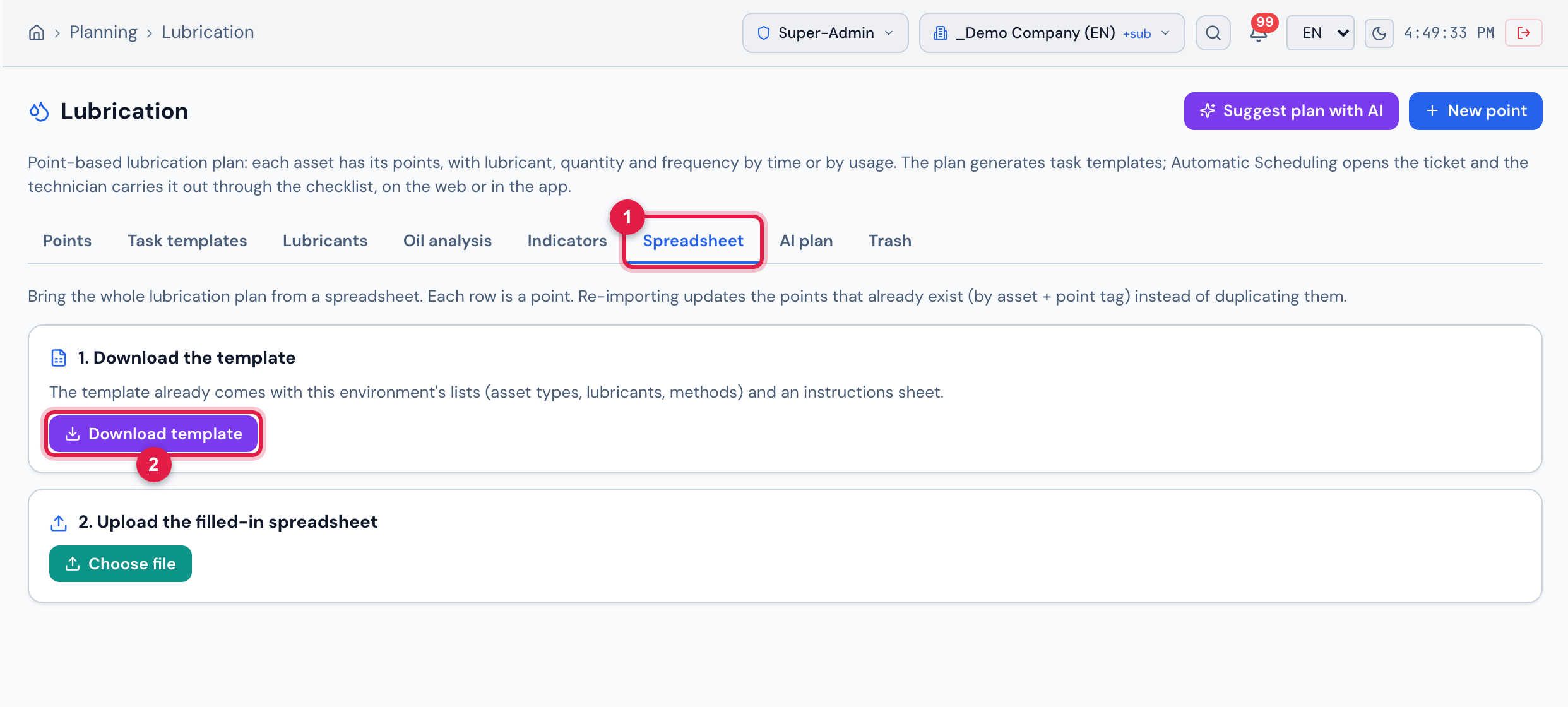
Figure 6. The Spreadsheet tab.
- 1The Spreadsheet tab.
- 2Download template — the spreadsheet already comes with this environment’s lists (asset types, lubricants, methods) and an instructions sheet.
- Click Download template and fill in one row per point.
- In Choose file, upload the spreadsheet. The system checks it before saving and shows, row by row, what will be created, what will be updated and what has errors.
- Fix whatever is needed and click Import to bring in the valid rows.
- The asset is found by its tag, serial number or name.
- Importing again updates the points that already exist (by the asset and the point tag) instead of duplicating them.
- A lubricant that is not in the catalogue yet is created during the import.
- On the Points tab, Export spreadsheet generates the current plan in the same columns — you can export, adjust and import it back.
Was this page helpful?
Thanks for the feedback!
Got it — we will improve this page.