
The sites in the app
Manual — Companies and hierarchy · chapter 8 of 9
In the H2O app, the Sites module of the home screen (Getting started — H2O app, chapter 4) shows your sites with the tickets of each one and takes you there with Uber or Waze. The app uses the data stored on the device, from the last sync (chapter 6).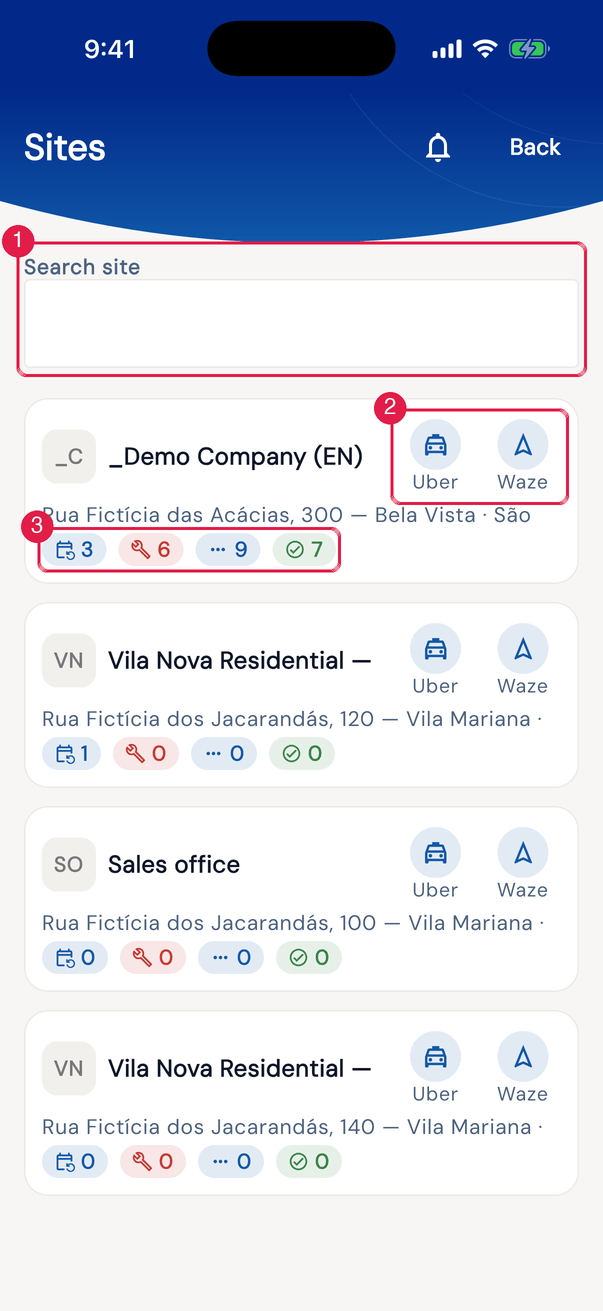
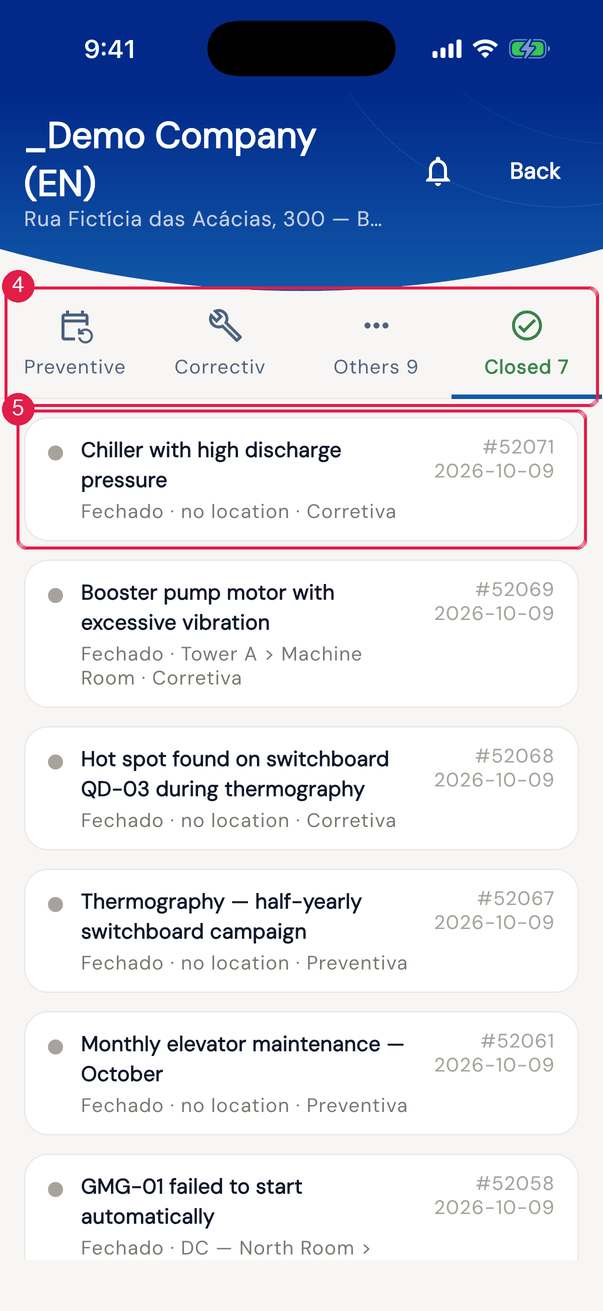
App H2OFigure 11. On the left, the Sites list with the Search site search and one card per site: the initials, the name, the address line, the Uber and Waze icons and the four counts. On the right, the site panel, with the Preventive, Corrective, Others and Closed tabs and the tickets of the open tab.
- 1Search site — filters by name, full name or city.
- 2Uber and Waze icons — open Uber or Waze (the app, if installed) with the site address as the destination.
- 3The four counts, in the colors of the tabs: open preventive, corrective and other tickets, and closed ones.
- 4The panel tabs, with the number of tickets next to each name — on a narrow phone the number may be cut off; the same counts are on the site card.
- 5A ticket — tap to open it.
Which sites appear
Section titled “Which sites appear”- The sites of your assignments and, for recursive assignments, every site below them (chapter 2) — the same ones the app downloads during sync.
- Only sites with the Address field filled in their record are included (chapter 4). A site without an address does not appear in the list, even if you have access to it. With no site with an address, the screen shows No site with an address in your scope.
- The card shows the site’s name (the last name of the path). The address line joins address, city and state.
The counts and the tabs
Section titled “The counts and the tabs”| Tab | Tickets |
|---|---|
| Preventive | open, of the Preventive modality |
| Corrective | open, of the Corrective modality |
| Others | open, of any other modality — including Scheduled Corrective and Emergency Corrective |
| Closed | solved or closed |
- The numbers count only the tickets of the site itself, not those of the sub-sites.
- The tickets your profile lets you see are included, according to the Tickets right: with See all, all of the site’s; with See group, yours and those of your groups; with neither, only the tickets in which you appear.
- Each tab shows up to 300 tickets, from the most recent to the oldest. Without tickets, No tickets in this tab appears.
Was this page helpful?
Thanks for the feedback!
Got it — we will improve this page.